
































































A powerful project management workflow can significantly improve work efficiency. Read on to find 7 best workflow applications we have chosen to help you streamline your project workflow.
Project management workflow processes can be complex and challenging. From planning and organizing to executing and delivering, there are many moving parts to track. Fortunately, a dedicated project workflow management tool can help automate these steps and ensure nothing falls through the cracks. In this post, we’ll explore the top 7 applications to optimize your project workflows.
Key Takeaways
- Efficiency Gains: Implementing a structured project management workflow reduces manual errors and automates repetitive tasks.
- Visibility: Modern project workflow management tools provide real-time tracking, ensuring team transparency and accountability.
- Scalability: A defined project management workflow process allows teams to scale their operations without losing control of project quality.
- Tool Versatility: From Agile-focused Jira to visual-heavy Trello, the right project workflow tool depends on your specific team size and industry needs.
- Hardware-Software Synergy: NearHub SaaS offers a unique advantage by combining digital project workflows with interactive hardware for enhanced collaboration.
What is workflow application?
A workflow application is software designed to automate and manage a range of business processes. It is a tool that helps organizations refine their project management workflow, increase efficiency, and reduce errors by automating tasks that would otherwise be performed manually.
These applications typically consist of a series of steps executed in a specific order, helping users manage a complex project management workflow process and ensure each milestone is met on time. By implementing structured project workflows, businesses can improve productivity, reduce costs, and improve customer satisfaction by delivering results faster.
The 7 best workflow applications
1. Asana
Key Features:
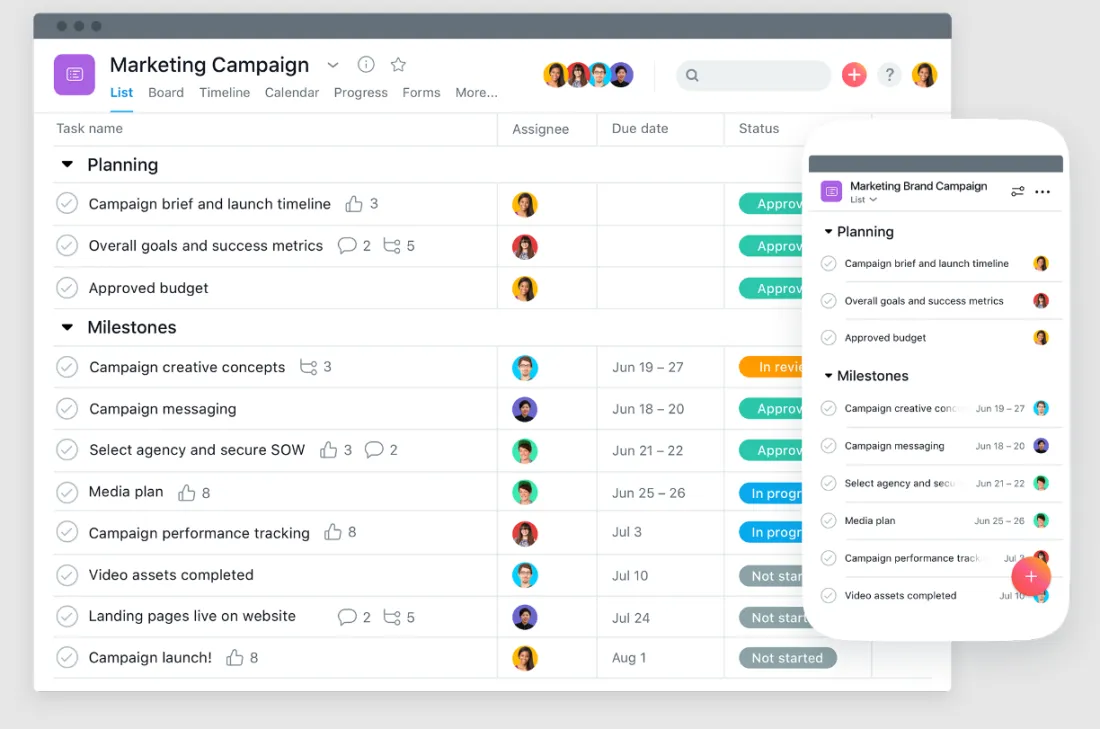
- Offers a user-friendly interface for task management, project tracking, and team collaboration.
- Provides customizable project templates and integrations with other tools, such as Slack and Google Drive.
- Allows users to add multiple projects and assign tasks to team members.
- Offers a timeline view for visualizing project progress and deadlines.
Pricing:
- Basic: Free for up to 15 users
- Premium: $10.99 per user per month
- Business: $24.99 per user per month
- Enterprise: Custom pricing
2. Trello
Key Features:
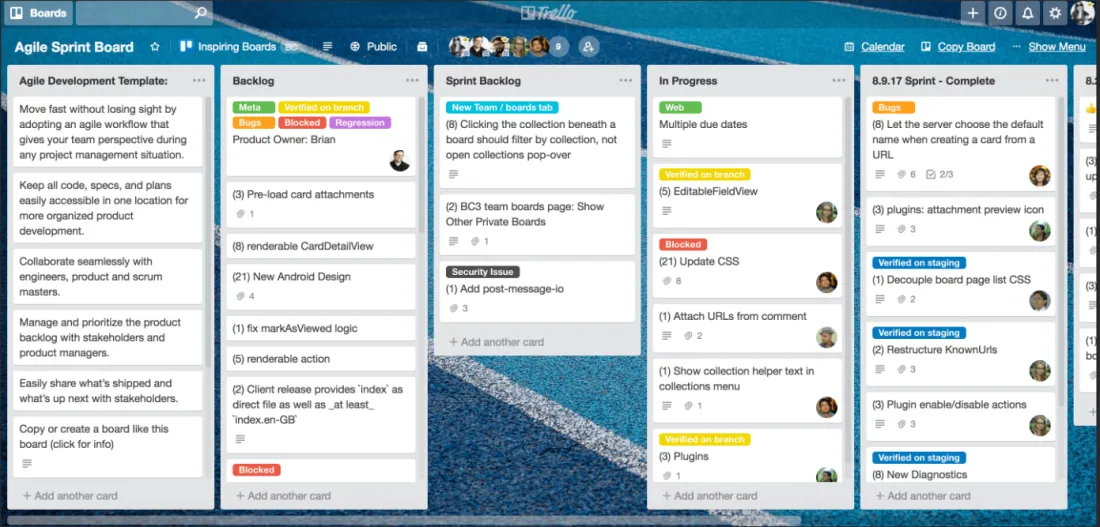
- Provides a simple and visual way to manage tasks and projects.
- Offers boards, lists, and cards to organize and prioritize work.
- Allows users to add labels, due dates, and attachments to cards.
- Provides integrations with other tools like Google Drive, Slack, and Zapier.
Pricing:
- Free: Basic features
- Business Class: $9.99 per user per month
- Enterprise: Custom pricing
3. Jira
Key Features:
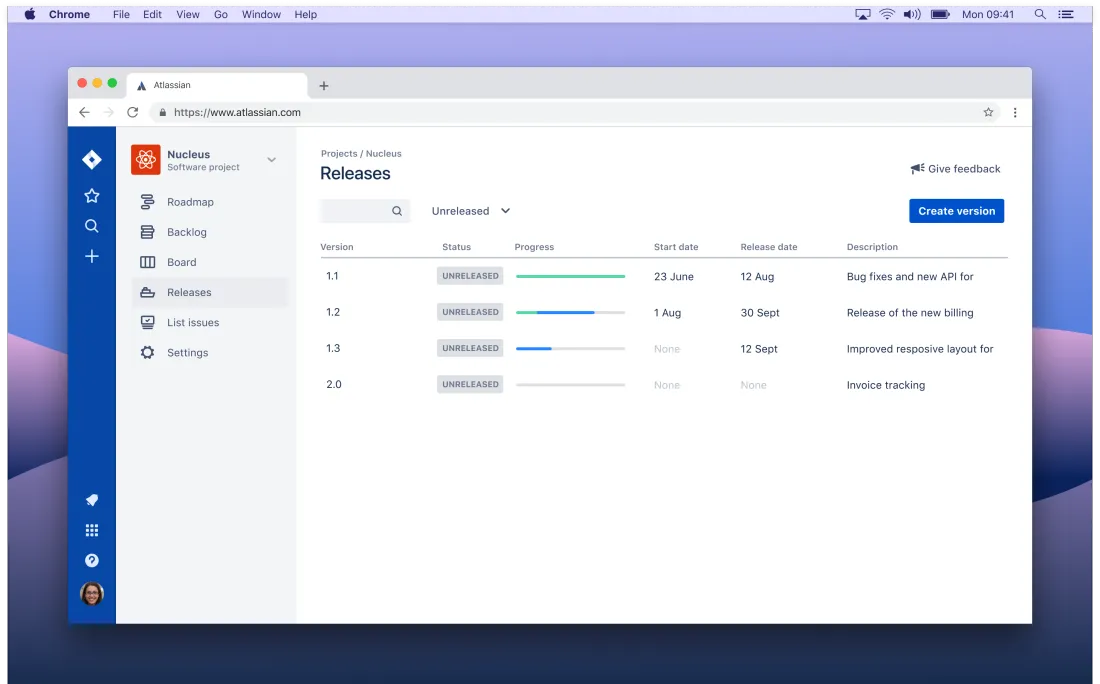
- Focuses on agile project management and issue tracking.
- Offers customizable workflows, scrum and kanban boards, and real-time reporting.
- Provides integrations with other tools like Confluence and Bitbucket.
- Allows users to create custom fields and reports.
Pricing:
- Free: Basic features for up to 10 users
- Standard: $7 per user per month
- Premium: $14 per user per month
- Enterprise: Custom pricing
4. Monday.com
Key Features:
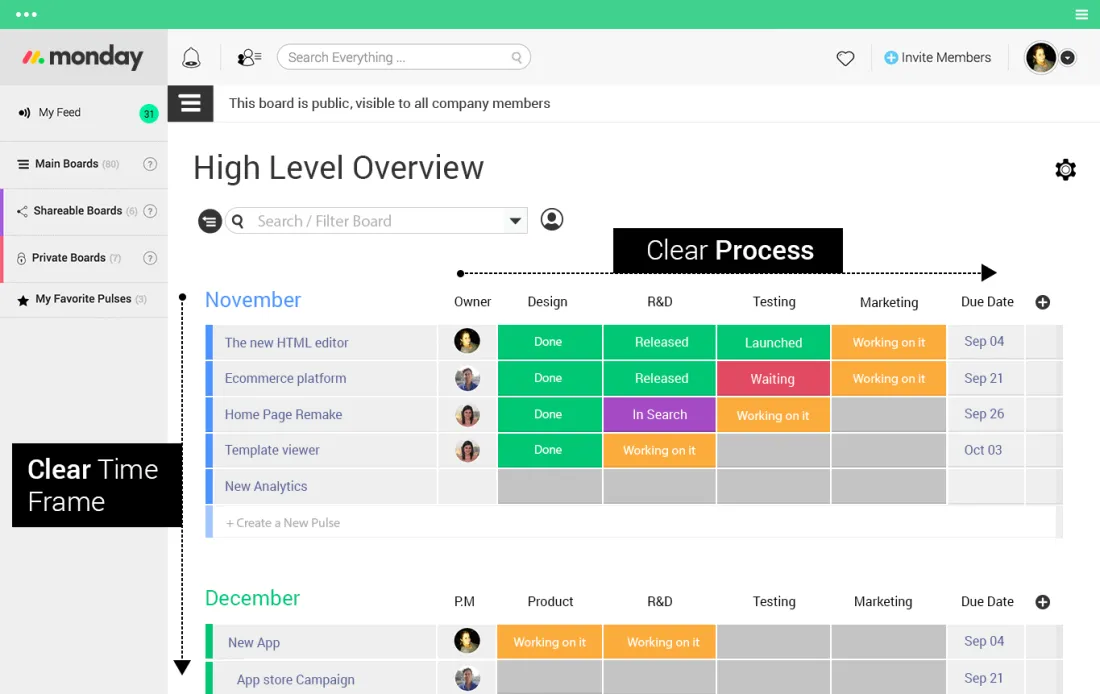
- Offers a visual and customizable project management platform.
- Provides templates and integrations with other tools like Zapier and Jira.
- Allows users to create custom boards and workflows.
- Provides a timeline view for tracking project progress.
Pricing:
- Basic: $8 per user per month
- Standard: $10 per user per month
- Pro: $16 per user per month
- Enterprise: Custom pricing
5. WorkflowMax
Key Features:
- Offers project management, time tracking, invoicing, and reporting features.
- Provides integrations with Xero, Zapierand other accounting tools.
- Allows users to create custom workflows and templates.
- Provides a dashboard for tracking project progress.
Pricing:
- Lead Manager: $15 per user per month
- WorkflowMax: $45 per user per month
- Xero Practice Manager: $99 per user per month

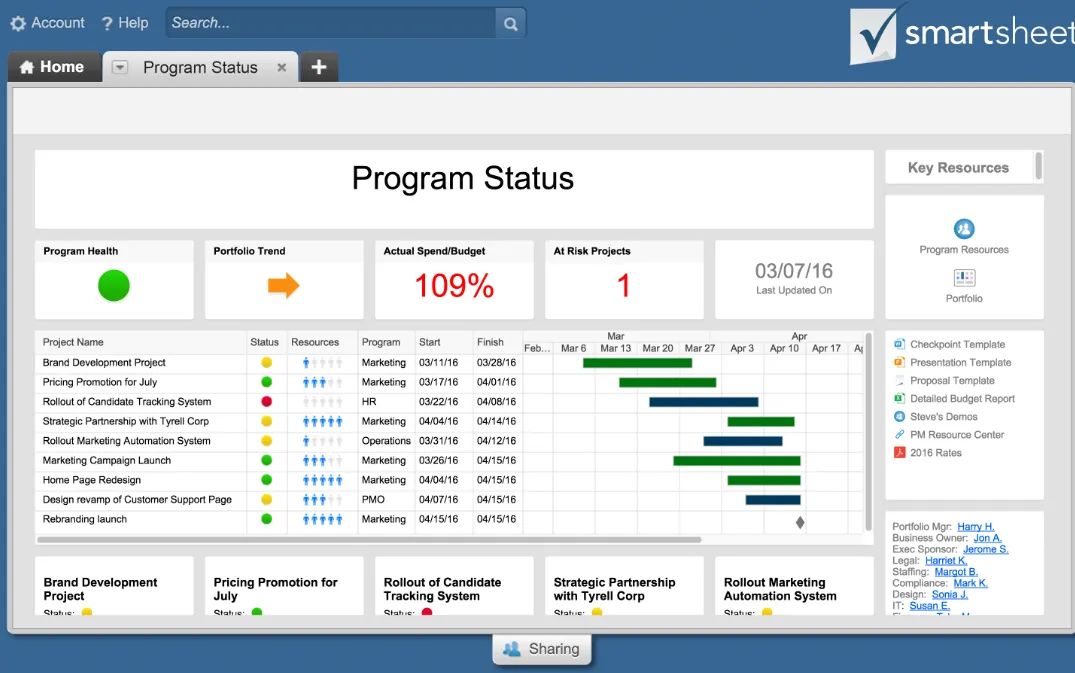
6. Smartsheet
Key Features:
- Acloud-based project management and collaboration tool
- Offers project management, collaboration, and automation features.
- Provides customizable templates and integrations with other tools like Salesforce and Jira.
- Allows users to create custom forms and reports.
- Provides a Gantt chart view for tracking project progress.
Pricing:
- Individual: $14 per user per month
- Business: $25 per user per month
- Enterprise: Custom pricing
7. Basecamp
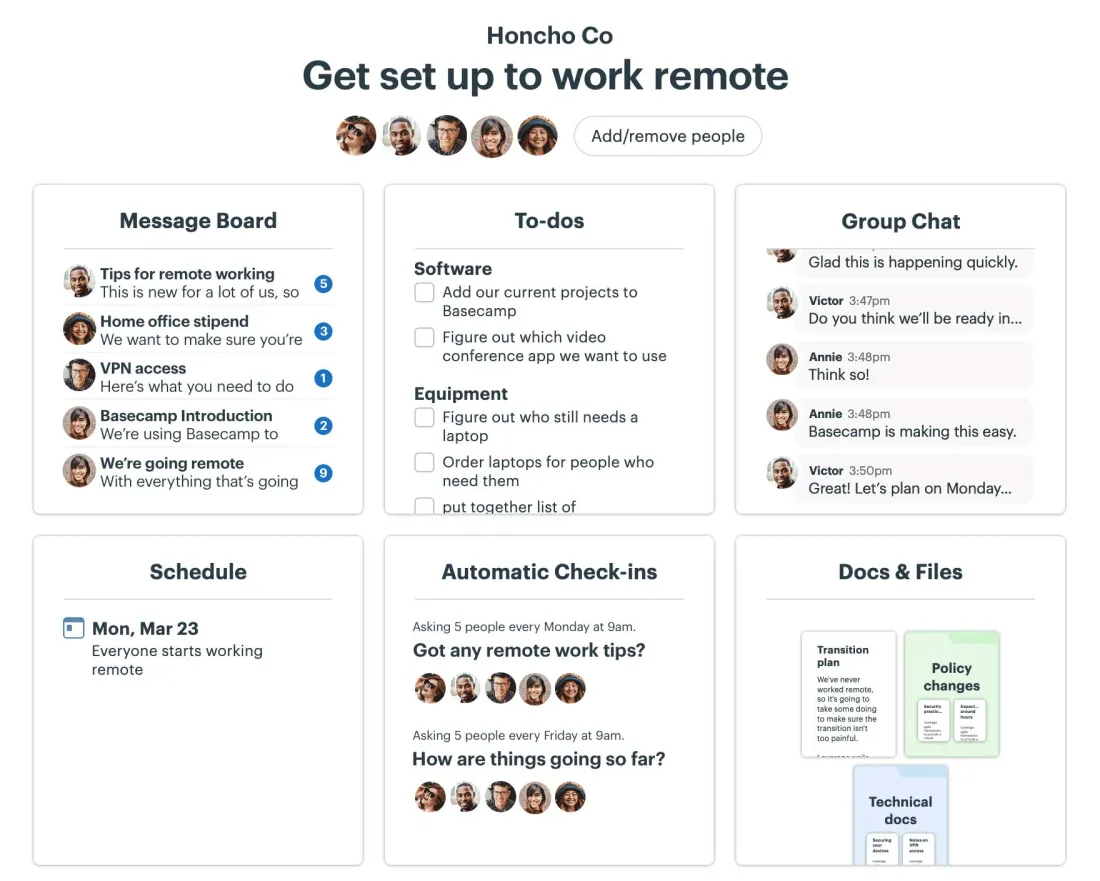
Key Features:
- Provides project management, team collaboration, and communication features.
- Offers message boards, to-do lists, and scheduling tools.
- Allows users to create custom templates and reports.
- Provides a client portal for sharing project updates with clients.
Pricing:
- Personal: Free for up to 3 projects
- Business: $99 per month flat rate for unlimited projects and users.
Conclusion
Managing a project can be a daunting task, but with the right project management workflow, it becomes a smooth, predictable process. Whether you need the agile power of Jira or the visual simplicity of Trello, choosing the right tool is essential to optimize your project workflow management.
Today, modern project workflows are going digital and collaborative. NearHub also offers its own specialized solution: NearHub SaaS. It provides tailored project management workflow process templates to improve collaboration efficiency. Unlike traditional software, NearHub pairs a feature-rich application with an interactive big-screen experience.
Ready to level up your team?NearHub also has its own application NearHub SaaS with workflow templates to improve your collaboration efficiency. Compared with the 7 workflow applications above, NearHub offers you not only a feature-rich application but also a big screen. Click here to view more on the NearHub Board and transform your project workflows today.
FAQ: Frequently Asked Questions About Project Management Workflows
Q1: What exactly is a project management workflow? A1: A project management workflow is a sequence of standardized steps and tasks required to complete a project. By establishing a clear project management workflow process, teams can define "who does what and when," reducing communication gaps and ensuring a smooth transition from project initiation to final delivery.
Q2: Why does my team need dedicated project workflow management? A2: Without structured project workflows, teams often face missed deadlines, manual errors, and overlapping responsibilities. Implementing a project workflow management tool allows for task automation, real-time progress visibility, and bottleneck identification, which significantly boosts overall team execution.
Q3: How do I choose the right tool for my project management workflow process? A3: When selecting a tool, consider these core factors:
- Team Size: Small teams may prefer the simplicity of Trello, while large enterprises might need the depth of Jira or Smartsheet.
- Industry Type: Software teams typically require Agile project workflows, whereas service-based agencies might prioritize time-tracking and invoicing features.
- Integration: Ensure the software integrates seamlessly with your existing stack, such as Google Workspace or Slack.
Q4: What are the essential stages of an optimized project workflow? A4: A high-performing project management workflow process generally consists of five core stages:
- Initiation: Defining goals and project scope.
- Planning: Breaking down tasks and allocating resources within the project workflow.
- Execution: Performing the actual work according to the set plan.
- Monitoring: Tracking progress and making real-time adjustments.
- Closing: Delivering the final results and conducting a post-project review.
Q5: How does NearHub SaaS help optimize my project management workflow? A5: NearHub SaaS goes beyond traditional software by combining powerful project management workflow templates with smart hardware (the NearHub Board). This "hardware+software" approach allows teams to visualize and interact with their project workflows on a large interactive screen, making both remote and in-person collaboration more immersive and efficient.





 sales@nearhub.us
