













































Imagine this:
You are halfway through a high-stakes strategy presentation for a Fortune 500 client. You’ve spent weeks on the data, the slides are perfect, and your pitch is polished. Suddenly, your screen freezes. When it returns, your image is grainy, and the client can barely see your facial expressions or the nuances of the physical charts you’re referencing in your office. The momentum is gone. In the world of consulting, where trust and clarity are your primary currencies, poor technology isn't just an inconvenience—it's a liability.
Choosing the right hardware is about more than just "seeing" people; it is about creating an immersive environment that mirrors the intimacy of an in-person meeting. This guide solves the problem of technical friction by identifying the best tools and providing essential video conference tips to ensure your digital boardroom remains a space for high-level collaboration. In the following sections, we will explore how high-end optics and strategic setups can transform your remote delivery.
1. Why High-Quality Video is Essential for Consultants
Consultancy is built on the foundation of the "Trusted Advisor" relationship. When you are operating remotely, your video feed is your digital handshake. If that handshake is blurry or laggy, it subconsciously impacts the client's perception of your professionalism. High-quality video ensures that your non-verbal cues—a nod of agreement, a confident smile, or an attentive lean-forward—are communicated clearly.
The Impact of Visual Fidelity on Client Retention
When you invest in premium meeting room equipment, you aren't just buying a gadget; you are investing in your brand. According to Harvard Business Review, visual communication significantly increases the "human" element of remote work, leading to higher levels of trust and faster decision-making cycles. For consultants, this trust is directly correlated with project renewals and long-term client retention. If a client perceives technical hurdles as a lack of preparation, the professional bond is weakened.
The Psychology of Presence in Digital Advising
The concept of "telepresence" is critical. It refers to the degree to which a person feels present at a remote location. In consulting, high-definition video reduces the cognitive load on the client. When they can clearly see your micro-expressions, they don't have to work as hard to interpret your intent. This allows the focus to remain entirely on the strategy and the value you provide, rather than the medium of delivery.
Bridging the Gap Between Physical and Digital
Consultants often need to move between showing their faces and showing physical materials. Whether it is a whiteboarding session or reviewing a printed blueprint, you need a high-performance imaging solution that can handle various depths and light conditions without losing focus. The goal is to make the remote client feel as though they are standing right next to you, observing every detail of the project evolution in real-time.
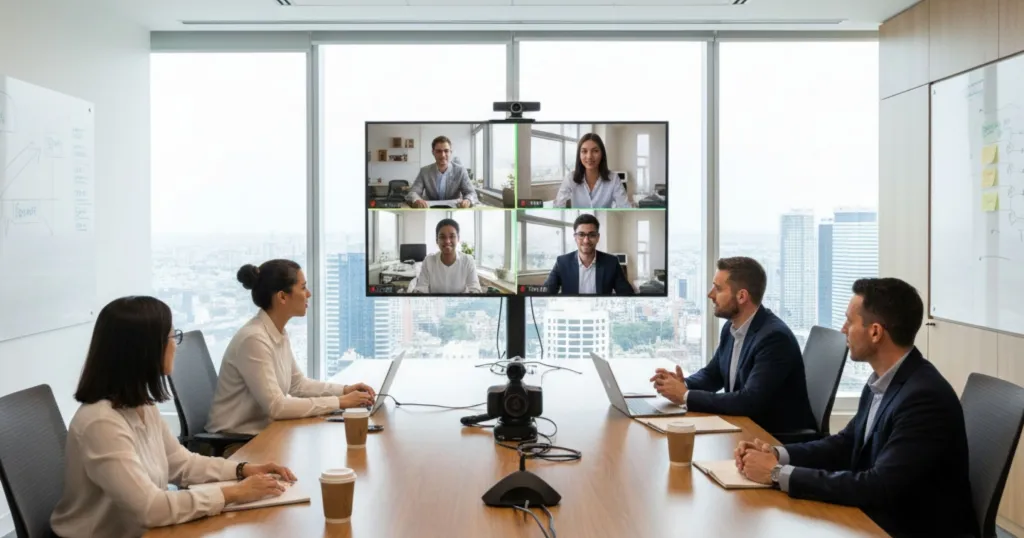
2. Top 6 Conference Cameras for Consulting Professionals
Selecting the right camera requires a balance of resolution, field of view, and AI-driven features. Here are the top six picks for 2024, reformatted to help you quickly identify the best camera for zoom meetings for your specific consulting needs:
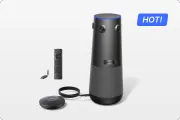
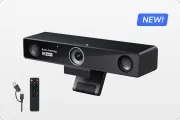
1. Nearity 360 Alien (The Ultimate Immersive Experience)
Key Features: True 4K Ultra HD Video / Plug-and-Play Wireless Connectivity/
Expansion Mic Port for Larger Rooms/ Remote Control
Technical Excellence: Wireless plug-and-play design delivers professional 4K clarity. Scalable and intuitive for seamless adaptation from focus rooms to conference spaces.
Best For: Professional teams across all room sizes — from focus rooms to large conference spaces — seeking a future-ready, cinema-grade video solution for effortless, high-performance collaboration.

2. Logitech MeetUp (The Versatile Huddle Room King)
- Key Features: Motorized pan/tilt lens, 4K Ultra HD optics, and a wide 120-degree field of view.
- Core Strengths: Compact design that fits perfectly in smaller offices; excellent right-sight technology for auto-framing.
- Best For: Small-to-mid-sized consulting teams working in tight or shared office spaces.
3. Poly Studio P15 (The Professional Personal Powerhouse)
- Key Features: High-performance image sensor, automatic camera framing, and integrated privacy shutter.
- Visual Optimization: Optimized for professional skin tones and low-light performance; maintains consistent eye-level focus.
- Best For: Independent consultants or senior partners working from a high-end home office.
4. Jabra PanaCast 50 (The Intelligent Video Bar)
- Key Features: Three 13-megapixel cameras creating a 180-degree field of view, 8-mic array, and Virtual Director.
- Spatial Coverage: Covers the entire room from wall to wall; uses both audio and video to follow conversation flow.
- Best For: Larger firm rooms where participants are spread across a wide table.
5. Cisco Webex Desk Camera (The Enterprise Security Choice)
- Key Features: 4K video resolution, vibrant color processing, and high-end facial recognition.
- Security & Reliability: Provides government-grade security features and superior reliability in high-bandwidth environments.
- Best For: Consultants specializing in healthcare, finance, or government-regulated industries.
6. Meeting Owl 4+ (The Advanced All-in-One Portable)
- Key Features: 4K 360-degree video, increased speaker focus range, and plug-and-play setup.
- Mobility Advantage: Extremely easy to transport between offices; now features upgraded sensors for sharper contrast and color accuracy.
- Best For: Traveling consultants who need to maintain professional standards across various office locations.
Comparison Table: Top Picks at a Glance
| Feature | Nearity 360 Alien | Logitech MeetUp | Jabra PanaCast 50 | Poly Studio P15 | Cisco Webex Desk | Meeting Owl 4+ |
|---|---|---|---|---|---|---|
| Resolution | True 4K | 4K | 4K | 4K | 4K | 4K |
| Field of View | 360° | 120° | 180° | 90° | 81° | 360° |
| AI Tracking | Active Speaker | Auto-Framing | Intelligent Zoom | Auto-Framing | Face Detection | Speaker Focus |
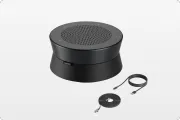
| Microphone | 6-mic Array | 3-mic Array | 8-mic Array | 3-mic Array | Dual Omni-mic | 8-mic Array |
| Key Advantage | Suitable for All-sized Room | Wide Angle | Wall-to-Wall | Skin Tone Opt | Security | Portability |

3. Designing Your Smart Conference Room: Setup Essentials
A smart conference room is more than just a camera and a laptop. It is a synchronized ecosystem designed to minimize distractions and maximize output. For consultants, this means creating an environment where the technology "disappears," leaving only the conversation.
Integrated Control Systems
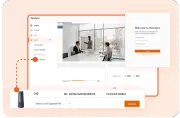
In a modern boardroom set up, you should be able to start a meeting with a single touch. Integrated tablets or touch panels that control the camera, audio, and lighting are essential for a professional workflow. When you can transition from a slide deck to a 360-degree view of the room without fumbling with menus, you demonstrate a level of technical mastery that reassures clients of your general competence.
Audio Intelligence and Acoustic Design
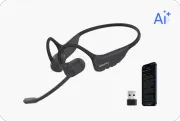
While we focus on video, audio is 50% of the experience. Using specialized video conference devices with AI noise cancellation is vital. Consultants often work in busy environments; this technology can filter out the sound of a HVAC system, papers shuffling, or distant traffic, ensuring your voice is the only thing the client hears. Crystal-clear audio prevents the "cognitive load" that leads to meeting fatigue.
Lighting: The Consultant's Best Friend
The "smart" part of your environment also involves lighting. Use smart LED panels that adjust their color temperature based on the time of day. A well-lit face is easier for AI tracking algorithms to frame, leading to a much better experience for the viewer. Furthermore, consider a neutral, professional background that aligns with your brand identity—avoiding cluttered bookshelves or distracting windows.
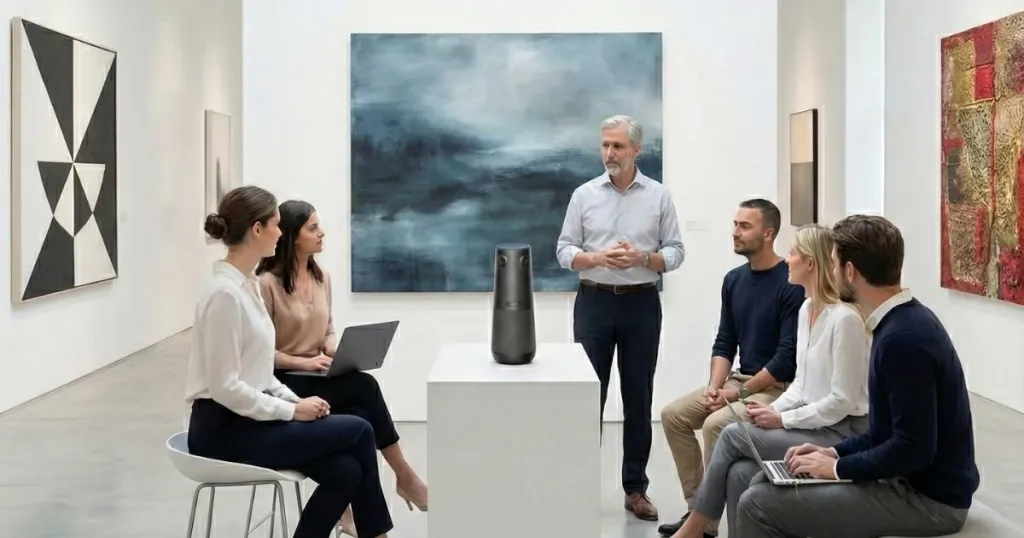
4. Master Your Space: Best Video Conference Room Setup
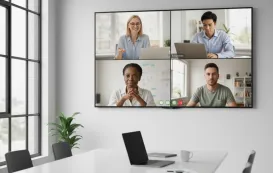
Your video conference room setup reflects your attention to detail. A cluttered background or poor camera angle can distract from your message. As a consultant, your office is your stage, and every element within the frame contributes to your perceived authority.
The Golden Ratio of Camera Placement
The optics should always be at eye level. If the lens is too low, you’re looking down at your clients, which can feel aggressive. If it’s too high, you appear diminished. For a professional best video conference room setup, mount the camera directly above or below the main display. This placement ensures that when you look at the client's face on the screen, you are also looking nearly directly into the camera lens, simulating natural eye contact.
Cable Management and Clean Aesthetics
Nothing screams "unprofessional" like a tangled mess of wires on the table. Use under-desk cable trays and wireless peripherals where possible. A clean desk leads to a clean mind—and a better impression on your clients. It shows that you value organization and precision, traits that clients look for in a top-tier consultant.
Sound Treatment: Beyond the Microphone
Large glass windows and hard walls are the enemies of good audio. Even the best equipment will struggle with echo in a "bright" room. Add acoustic panels or even heavy curtains to soften the sound and make your voice sound richer and more authoritative. A room with good "presence" makes your insights sound more impactful and authoritative.
5. Pro Video Conference Tips for Every Consulting Call
Even with the best gear, your personal habits determine the success of the call. Following these video conference tips will help you master the digital medium and ensure your message is delivered with maximum impact.
Maintain Digital Eye Contact
One of the most important video conference tips is to look at the camera, not the screen, when you are speaking. This simulates eye contact and builds a stronger emotional connection with the client. It’s a subtle habit that makes a massive difference in how persuasive you are during a proposal or a high-stakes review.
Master the "Mute" Button and Audio Etiquette
Always stay on mute when you aren't talking, especially in larger groups. However, for 1-on-1 consulting, it is often better to stay unmuted to allow for natural, flowing conversation, provided your environment is quiet. This encourages a "dialogue" rather than a "monologue," which is crucial for building rapport. Mastering your audio environment is one of those essential video conference tips that separates juniors from senior partners.
Use the 360 Advantage for Dynamic Presentations
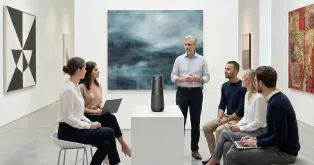
If you are using a 360 video conference camera, use the space to your advantage. Don't feel tethered to your chair. Standing up to present on a physical chart can add dynamic energy to your presentation that a static webcam simply cannot capture. It breaks the monotony of the screen and keeps the client engaged during long sessions.
Connectivity: The Backbone of Your Call
Before any major client call, run a speed test. A stable upload speed of at least 5 Mbps is required for 4K video. If your Wi-Fi is spotty, use an Ethernet cable for a hardwired connection—it's the most reliable of all video conference tips. Reliability is a key component of the professional image you want to project; technical glitches are often viewed as a lack of preparation.
6. Future Trends in Video Conferencing for Consulting
The landscape of professional communication is shifting toward "Spatial Computing" and "AI Presence." We are moving away from flat video and toward experiences that feel truly three-dimensional and interactive.
The Rise of AI Presence and Real-Time Enhancements
We are seeing the emergence of AI that can "fix" your eye contact in real-time or touch up your lighting if you’re in a dim hotel room. While these are great tools, they don't replace the need for high-quality core hardware. The foundation of any professional presence must be a high-resolution, high-dynamic-range image that conveys realism and detail.
Hybrid Symmetry and Meeting Equity
The future of the smart conference room is about "equity." This means ensuring that people in the room and people joining remotely have the same visual weight on the screen. Features like Nearity's AI-speaker tracking are leading the way in this "Hybrid Symmetry" movement, ensuring that the consultant in the office doesn't dominate the visual field over the remote client.
Integration with Generative AI
Future setups will likely integrate with generative AI to provide real-time transcriptions, sentiment analysis, and automated meeting summaries. For consultants, this means you can focus entirely on the client, knowing that the "smart" elements of your room are capturing every action item and strategic nuance for later review.
7. Frequently Asked Questions (FAQ)
How can I improve my video quality without buying a new camera?
While hardware is king, you can improve results by following simple video conference tips: ensure your primary light source is in front of you (not behind), use a solid-colored background, and ensure your laptop's CPU isn't overwhelmed by closing unnecessary tabs. Also, regularly cleaning your camera lens can significantly improve clarity and focus.
What is the best field of view for a consulting room?
For a solo office, a 90-degree field of view is perfect. For a collaborative video conference room setup where multiple partners are present, a 180-degree or 360-degree camera is recommended to capture everyone without distortion. This ensures that everyone has a "seat at the table" in the virtual view.
Are 4K cameras worth the investment for Zoom?
Yes. Even if Zoom compresses the signal, starting with a 4K source allows for better digital zooming and cropping without the image becoming "pixelated." It makes your setup future-proof and ensures that your physical presentation materials remain legible and professional.
How do I choose between a 360-degree camera and a PTZ camera?
A 360 video conference camera is best for roundtable discussions where everyone needs to be seen simultaneously. A PTZ (Pan-Tilt-Zoom) camera is better if you have one primary speaker who moves around a large stage or uses a whiteboard extensively. For most consulting teams, the 360-degree option offers better inclusivity and "meeting equity."
Can I use multiple cameras in one room?
Modern software allows for multi-camera setups. You might have one camera focused on your face and another high-angle camera focused on a physical model or document you are reviewing. This "multi-cam" approach is increasingly popular for complex architectural, engineering, or design consulting.
What are the best video conference tips for high-bandwidth stability?
Always prioritize a wired connection. Furthermore, disable background apps that consume bandwidth, such as cloud sync services or large downloads. Ensuring your router is up to date with the latest firmware is also a highly recommended practice for maintaining a professional presence.
Conclusion
In the competitive landscape of professional consulting, your ability to articulate ideas and build rapport remotely is your greatest competitive advantage. By optimizing your environment and investing in professional-grade hardware, you effectively remove the technical friction that can stall a critical conversation. Whether you are leading a cross-border merger or providing bespoke strategy advice, the clarity of your digital presence should be as sharp as your insights.
Technology is the conduit for your expertise. By mastering various video conference tips—from lighting and ergonomics to the use of a sophisticated 360 video conference camera—you ensure that every virtual touchpoint reinforces your status as a trusted advisor. In a world where the boardroom is increasingly virtual, those who prioritize visual and auditory excellence will always have the loudest and most influential voice at the table.




 sales@nearhub.us
