












































Picture this:
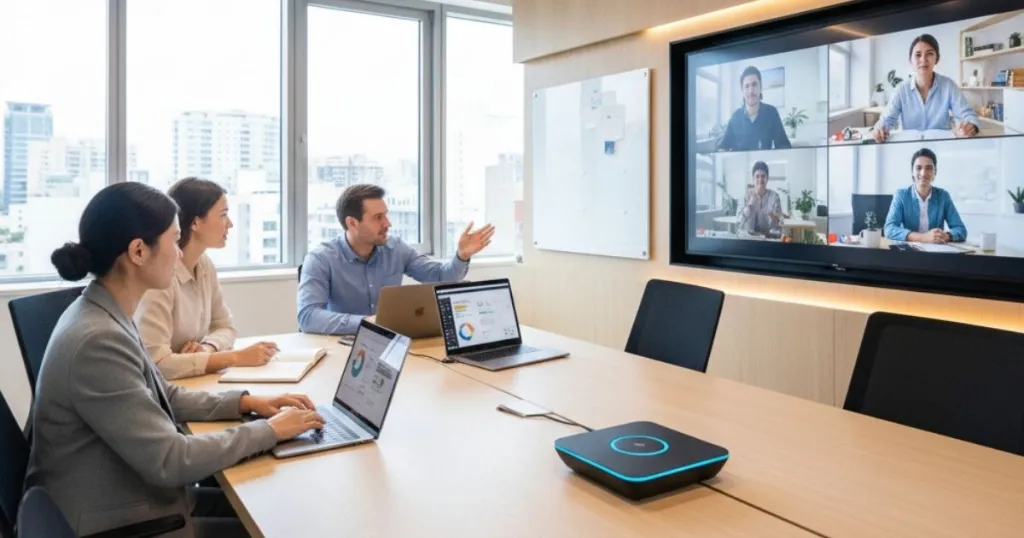
You’re sitting in a high-stakes board meeting. Half the team is in the room, sipping coffee and chatting animatedly. The other half? They’re floating heads on a TV screen, straining to hear the conversation, constantly interrupting with, "Sorry, can you repeat that?" or "Who just said that?" The energy is fragmented, the collaboration is stifled, and the frustration is palpable. We have all been there. The "bowling alley" effect—where remote participants feel like they are watching a meeting through a telescope rather than participating in one—is the single biggest killer of hybrid productivity today.
In the rapidly evolving landscape of 2024 and 2025, the bridge between "us" (in the office) and "them" (at home) isn't just culture; it's technology. Specifically, it’s the conference room camera. This piece of hardware has graduated from a nice-to-have accessory to the central nervous system of modern organizational communication. Whether you are a facility manager outfitting a new office or a team lead trying to keep your remote talent engaged, understanding the nuances of this technology is non-negotiable.
If you are ready to transform your disjointed meetings into seamless collaborative experiences, read on.
The Evolution of the Modern Workplace: Why Hybrid is Here to Stay
To understand why we need sophisticated conference room camera systems, we first need to understand the environment they operate in. The workplace has undergone a seismic shift, one that is less about location and more about connection.
The Hybrid Paradox and the Return-to-Office Tension
The years 2024 and 2025 have been defined by a stabilization of work trends. According to Gallup data from August 2025, the dust has settled, and hybrid work is the dominant model for remote-capable employees. Approximately 52% of remote-capable staff in the U.S. now work in a hybrid arrangement, a massive leap from just 18% in May 2020. Meanwhile, exclusively remote work has dipped to 26%, and fully on-site work sits at 22%.
However, this stability masks a significant tension known as the "Hybrid Paradox." On one side, we have leadership. Surveys indicate that 68% of leaders cite collaboration and teamwork as the primary reasons for mandating a return to the office (RTO), followed closely by productivity (64%) and company culture (45%). Major players like Amazon and JP Morgan Chase have made headlines in 2025 with strict RTO mandates, influencing 54% of smaller businesses to follow suit.
On the other side, we have the talent. A staggering 64% of U.S. employees prefer remote or hybrid roles, and an equal percentage state they would look for a new job if that flexibility were removed. This isn't just grumbling; it's a retention crisis. Research shows that 80% of companies reported losing talent due to rigid RTO policies.
Productivity vs. Perception
One of the most compelling arguments for the conference room camera investment is the need to bridge the "productivity perception gap." A landmark study published in Nature, involving employees at Trip.com, revealed that hybrid work models (typically three days in the office, two at home) resulted in no loss of productivity or promotion rates compared to fully in-office schedules. More importantly, these models significantly reduced attrition and improved job satisfaction.
Yet, proximity bias remains real. Remote workers often face a "promotion penalty," with data suggesting they are 50% less likely to be promoted after 21 months compared to their office-bound peers.5 This is where technology intervenes. A high-quality conference room camera doesn't just transmit video; it democratizes presence. It ensures that the remote worker is seen as clearly and heard as loudly as the person sitting next to the CEO. It fights the "out of sight, out of mind" bias that plagues distributed teams.
Global Variances in Office Usage
It is also crucial to recognize that "hybrid" looks different around the world. In 2024, office occupancy in Asian hubs like Tokyo and Hong Kong soared to between 85% and 90%, driven by cultural norms and smaller home living spaces. In contrast, U.S. West Coast offices struggled to hit 30% occupancy, while Europe hovered around 60%. This disparity means that multinational companies cannot apply a one-size-fits-all policy. A conference room camera setup in a Tokyo office might need to prioritize catching subtle non-verbal cues among a largely in-person group, while a San Francisco office needs a system robust enough to handle a room where 80% of the participants are joining via Zoom.

What is Zoom? The Software Layer of Collaboration
Before we dive into the hardware, we must address the software that powers these interactions. What is Zoom?
From Startup to Utility
Founded in 2011 by Eric Yuan, a former Cisco Webex engineer, Zoom Video Communications was born out of a frustration with the clunky, unreliable video tools of the time. Yuan’s vision was simple: make video communications "frictionless". The platform’s meteoric rise during the pandemic is well-documented, with daily meeting participants growing 30-fold in just a few months.
Today, Zoom is more than just a video chat app; it is a comprehensive "AI-first work platform".6 By 2024, it held a dominant 55% market share in the video conferencing software sector.8 Its ecosystem now includes Zoom Phone, Zoom Rooms, and advanced AI features like real-time translation and meeting summarization.
The Limits of Software
Despite its sophistication, Zoom is ultimately limited by the hardware it runs on. The best compression algorithms in the world cannot fix a blurry image from a cheap webcam or the echo of a bad microphone.
- Packet Loss Concealment: Zoom is famous for its ability to keep a call going even on poor internet connections. It prioritizes audio over video to ensure conversation continuity.
- Smart Gallery: A feature that uses AI to take a single video feed of a conference room and split it into individual "headshots" of the participants. This is a game-changer for equity, but it requires a high-resolution 4K camera to work effectively. If the source camera is 1080p, zooming in on faces results in a pixelated mess.
The Phenomenon of Zoom Fatigue
We cannot discuss Zoom without mentioning "Zoom Fatigue." This is not just being tired; it is a specific cognitive exhaustion caused by the unnatural demands of video processing. In a physical meeting, you rely on peripheral vision and subtle cues. On a video call, you are forced to stare intently at a grid of faces to interpret reactions. Statistics show that 58% of introverts experience Zoom fatigue compared to 40% of extroverts.11 Furthermore, the "self-view" feature—where you constantly see a mirror image of yourself—heightens self-criticism and anxiety.
High-quality conference room solutions alleviate this by creating a more natural viewing experience. Instead of a grid of static faces, a smart camera that dynamically follows the speaker allows remote participants to relax their gaze and follow the conversation naturally, reducing the cognitive load.

Understanding Video Conference Devices: Beyond the Webcam
When we talk about upgrading a meeting space, the terminology can get confusing. What is the difference between a video conference device and a standard webcam?
The Webcam: A Personal Tool
A webcam is designed for a "one-to-one" relationship. It assumes the user is sitting 2 to 3 feet away, directly in front of the screen. It has a narrow field of view (typically 60-80 degrees) and a microphone designed to pick up sound from a very short distance.
- Pros: Cheap, easy to use, great for individual laptops.
- Cons: In a meeting room, a webcam fails miserably. It captures only the person at the head of the table, or a wide, dark view of the room where everyone looks like ants. The audio is tinny and filled with echo.
The Conference Camera: A Group Tool
A conference room camera is a different beast entirely. It is engineered for "many-to-many" communication.
- Optics: These devices feature wide-angle lenses (120° to 360°) to capture people sitting at the edges of the room. They use high-end sensors (often 4K or higher) to ensure that even when digitally zoomed in, the image remains crisp.
- Audio: They utilize microphone arrays with "beamforming" technology. This allows the device to detect where a voice is coming from and focus the microphone on that specific direction while suppressing background noise (like air conditioning or keyboard typing).
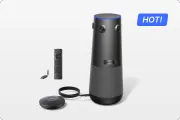
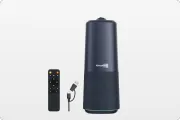
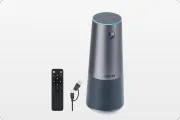
- Intelligence: Modern devices like the Nearity 360 Alien or the Owl Labs Meeting Owl use on-board processors to track speakers, auto-frame participants, and adjust exposure dynamically.

Types of Conference Room Hardware
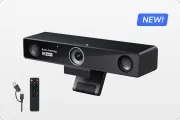
- Video Bars: These sit at the front of the room (usually under the TV). They are excellent for small "huddle rooms" where everyone is facing the screen. However, in deeper rooms, they suffer from the "bowling alley" effect—people at the back are too far away to be seen clearly.
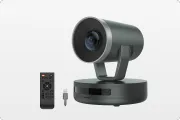
- PTZ Cameras (Pan-Tilt-Zoom): These are motorized cameras that can physically move to look at different parts of the room. They offer the best optical quality (using glass lenses to zoom rather than digital cropping) but are expensive and often require a manual operator or complex presets.10
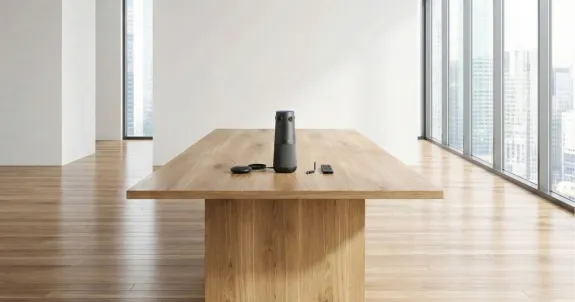
- 360-Degree Center-of-Table Cameras: This is the emerging gold standard for hybrid collaboration. Placed in the center of the table, these cameras capture everyone equally. They restore the "circle" of the meeting, allowing remote participants to look around the room just as if they were sitting in a chair at the table.
For a deep dive into how to select the right form factor for your specific space, check out this guide on best camera for zoom meetings.
Deep Dive: The Battle for the Conference Room – Nearity vs. Owl Labs
In the world of 360-degree cameras, two names often dominate the conversation: Nearity and Owl Labs. While both aim to solve the hybrid puzzle, they take radically different approaches. Let's break down the technical differences to help you choose the right conference room solutions for your business.
1. Optical Architecture: Fisheye vs. Multi-Lens Array
The Owl Labs Meeting Owl 4+ relies on a single fisheye lens that sits at the top of the "totem." It captures a 360-degree image which is then de-warped by software.
- The Limitation: Physics is stubborn. A single lens stretches pixels at the edges of the frame. While software can correct the geometry, it cannot invent resolution that wasn't captured. This can lead to softness or blurring, especially for participants sitting close to the camera.
The Nearity 360 Alien takes a hardware-first approach. It utilizes a four-lens array. Imagine four separate cameras, each capturing a 90-degree quadrant of the room.
- The Advantage: Because each lens only has to cover a smaller area, there is significantly less optical distortion. The device then stitches these four high-resolution images together to create a "True 4K" panorama. This effectively eliminates the "funhouse mirror" effect often seen with single-lens solutions, making it superior for huddle rooms where people sit very close to the device.
2. Audio Scalability: Wired vs. Wireless
This is often the deciding factor for facility managers. In a large boardroom, a single microphone in the center of the table will struggle to hear the CEO sitting 15 feet away at the head of the table. You need expansion microphones.
- Owl Labs Approach: To extend audio range, Owl Labs uses a feature called "Owl Connect" to wirelessly pair two camera units together. While innovative, this forces you to buy a second, expensive camera unit just to get better audio coverage. The base pickup radius is about 5.5 meters, extending to roughly 8 meters with the pair.
- Nearity Approach: Nearity prioritizes reliability and cost-efficiency. The 360 Alien supports a wired daisy-chain of expansion microphones (like the A20S) using standard RJ45 Ethernet cables. This allows you to run cabling under the table and place microphones exactly where they are needed.
- The Result: A reliable, wired audio mesh that extends the pickup range up to 16 meters (52 feet). This makes the Nearity system a powerhouse for large boardrooms where wireless interference or battery life might be a concern.
3. Privacy and Distraction Management
One quirk of 360-degree cameras is that they see everything. If you have a glass-walled conference room, people walking down the hallway can trigger the camera's motion tracking, causing the view to swing away from the speaker. Or, the camera might fixate on the face of a news anchor on the TV screen.
- Nearity's Solution: The 360 Alien features a physical 30° Auto-Exclusion Zone. You can physically dial in a "blind spot" for the camera. By pointing this blind spot at the TV or the glass door, you ensure the camera only tracks the meeting participants. It’s a simple, hardware-level fix for a complex AI problem.
4. Ecosystem and Security
- Owl Labs: Relies on "The Nest," a cloud-based platform for fleet management. This is great for IT teams who want to update firmware remotely, but it can be a hurdle for high-security environments (defense, finance) that prefer air-gapped devices.
- Nearity: Operates as a plug-and-play USB peripheral. It doesn't require a mandatory app or Wi-Fi connection to function. This "dumb pipe" approach is often preferred by security-conscious IT directors who want the device to simply work without broadcasting data to the cloud.
Summary Configuration Table
| Feature | Nearity 360 Alien | Owl Labs Meeting Owl 4+ |
|---|---|---|
| Optical System | 4-Lens Array (Stitched) | Single Fisheye Lens |
| Max Audio Range | ~16 meters (w/ wired mics) | ~8 meters (w/ wireless pairing) |
| Expansion Method | Wired Daisy-Chain (RJ45) | Wireless Device Pairing |
| Connectivity | USB / Wireless Dongle | USB + Wi-Fi |
| Management | Plug-and-Play (No App req.) | Cloud Platform ("The Nest") |
| Privacy Features | Physical Exclusion Zone | Software Masking |
| Ideal Use Case | Secure, Large/Long Rooms | Creative, Design-focused Huddle Rooms |
 Room-Specific Solutions: One Size Does Not Fit All
A common mistake is buying the same conference room camera for every room in the building. This is like trying to use a sports car to haul lumber. Different spaces have different physics.
1. The Huddle Room (Small)
- Dimensions: Up to 150 sq. ft.
- Capacity: 1–5 People.
- The Challenge: You are sitting on top of the camera. The field of view (FOV) is critical.
- Recommendation: A wide-angle video bar or a multi-lens 360 camera like the Nearity 360 Alien is ideal here because its stitching algorithm minimizes the distortion of faces that are only 2 feet away.
2. The Medium Conference Room
- Dimensions: 150–400 sq. ft.
- Capacity: 6–12 People.
- The Challenge: The "Bowling Alley" Effect.
- Recommendation: This is the sweet spot for center-of-table cameras. Placing the device in the middle restores eye contact. The Nearity 360 Alien’s "True 4K" clarity is vital here, as it allows the digital zoom to crop in on a face 8 feet away without it becoming a blur.
3. The Large Boardroom
- Dimensions: 400+ sq. ft.
- Capacity: 12–20+ People.
- The Challenge: Audio decay.
- Recommendation: Daisy-chaining is mandatory. Do not rely on a single point of audio. Run a Cat6 cable from your central Nearity unit to two expansion mics placed at the ends of the table. This ensures the soft-spoken intern at the far end is heard just as clearly as the VP at the center.
For a broader look at equipping different spaces, explore our guide on meeting room solutions.
Designing the Perfect Visuals: Professional Zoom Backgrounds
We have talked about the hardware, but what about the aesthetic? In a video meeting, your background is your "digital suit." It conveys your professionalism, your personality, and your attention to detail.
The Psychology of the Background
Research from the Harvard Business Review suggests that people generally trust "authentic" backgrounds (real rooms) more than virtual ones. However, reality is often messy. If your home office doubles as a laundry room, a professional zoom background is a necessary tool.
- The Bookcase Authority: A background featuring a tidy bookshelf signals knowledge and stability.
- The Minimalist Office: A clean, modern office background (like Nearity’s "Wooden Office" or "Grey Geometry") conveys organization and focus without being distracting.
- Brand Alignment: For sales calls, a subtle background incorporating your company’s logo or brand colors can reinforce identity.
Lighting: The Unsung Hero
Even a $5,000 camera will look terrible in bad light.
- Frontal Light: Always face your light source. A window in front of you is nature’s best softbox.
- Avoid Backlighting: Sitting with a bright window behind you turns you into a silhouette—a "witness protection program" look that kills trust.
- The Ring Light: If you are in a dark room, a simple LED ring light placed slightly above eye level can fill in shadows and make you look more energetic and awake.
Camera Angle Etiquette
The "nose-cam" angle (looking down at a laptop) is universally unflattering. It also suggests you are "looking down" on your colleagues. Elevate your camera—whether it’s a webcam or a conference device—to eye level. This mimics the geometry of a face-to-face conversation and builds subconscious rapport.
Solving Meeting Fatigue: What is Asynchronous Communication?
Even with the best conference room camera, spending 8 hours a day on video calls is draining. This is where we need to change how we work, not just where we work. What is asynchronous communication?
Defining Async
Synchronous communication happens in real-time (Zoom, phone calls, face-to-face). Asynchronous communication happens on your own time (Email, Slack, recorded video, project boards). The sender sends a message, and the receiver processes it when they are ready.18
Why Async Saves Hybrid Teams
- Time Zone Liberation: If your developer is in Tokyo and your project manager is in New York, finding a synchronous meeting time is a nightmare. Async allows the developer to push code and record a 5-minute Loom video explaining it. The PM watches it 8 hours later. Work continues 24/7 without anyone losing sleep.
- Deep Work: Constant interruptions (pings, "quick syncs") destroy focus. Async workflows allow employees to block out 4 hours for "Deep Work" knowing they aren't expected to reply instantly.
- Documentation: Async forces you to write things down. This creates a searchable paper trail of decisions, unlike a verbal agreement in a Zoom meeting that is forgotten ten minutes later.
The Right Tool for the Job
- Use Synchronous (Zoom) for: Emotional topics, performance reviews, complex brainstorming, and team bonding.
- Use Asynchronous (Slack/Email) for: Status updates, information sharing, and simple questions.
- The Golden Rule: Before you schedule a meeting, ask yourself, "Could this be a video message?" If the answer is yes, record it and send it. Your team will thank you.
Installation and Setup: A Practical Guide for Facilities Managers
If you are ready to upgrade your meeting rooms, here is a quick checklist to ensure a smooth rollout of your conference room solutions.
1. The Audit
Walk through every meeting room. Check the depth. If a room is deeper than 12 feet (4 meters) and currently uses a front-of-room video bar, flag it. This is your primary pain point.
2. The Cabling Plan
For center-of-table devices like the Nearity 360 Alien, you need to get power and data to the middle of the room.
- Floor Boxes: If you have them, great.
- Cable Trenching: Expensive but clean.
- Over-Floor Raceways: A tripping hazard if not done well.
- Wireless USB: The Nearity 360 Alien offers a wireless USB dongle option. You plug the camera into power (often available at the table) and the dongle into the PC at the front of the room. This eliminates the need to run a long USB cable across the floor, simplifying retrofits in older buildings.
3. The Audio Mesh
For rooms longer than 20 feet, do not guess. Install expansion mics. With Nearity's RJ45 daisy-chain, you can route cables under the table ledges for a clean look. Test the audio by standing in the furthest corner of the room and whispering. If the remote side can't hear you, add another mic.
4. The "Ready State"
Ensure the room PC is set to "Kiosk Mode" or similar. Users should walk in, tap a controller, and launch the meeting. If they have to log in, find a dongle, pair a Bluetooth device, and select audio drivers, you have failed. Plug-and-play simplicity is the ultimate metric of success.

FAQ
Q1: What is the main difference between a webcam and a conference room camera?
A webcam is designed for a single person sitting about 2 feet away. A conference room camera is designed for groups. It has a wider field of view (often 120° to 360°) to see everyone in the room and advanced microphones that can pick up voices from 10 to 15 feet away while cancelling out background noise.
Q2: How do I choose between a Video Bar and a 360-degree camera?
Use a Video Bar for small rooms where everyone faces the screen (like a huddle room). Use a 360-degree camera (like the Nearity 360 Alien) for medium-to-large rooms where people sit around a table facing each other. The 360 camera sits in the center, capturing natural eye contact and conversation flow better than a bar at the front of the room.
Q3: Can I use a virtual background for a professional business meeting?
Absolutely. In fact, a clean, professional virtual background is often better than a messy or distracting real-world background. Stick to simple, realistic environments like a modern office or a library. Avoid distracting animations or bright, neon colors.
Q4: What is asynchronous communication and why is it important for hybrid work?
What is asynchronous communication? It means communicating without needing an immediate response (e.g., email, recorded video, project boards). It is vital for hybrid teams because it reduces "Zoom fatigue," allows for deep focus time, and bridges the gap between colleagues working in different time zones.
Q5: Why is wired audio expansion better than wireless for conference rooms?
Wired expansion (daisy-chaining) is generally superior because it is more reliable. Wireless signals can experience interference, and batteries need charging. A wired system, like Nearity’s RJ45 solution, provides a consistent, interference-free connection and draws power directly from the main unit, meaning it is always ready to work.
Q6: What is the "Exclusion Zone" on the Nearity 360 Alien?
The Exclusion Zone is a feature that allows you to tell the camera to ignore a specific slice of the room. This is incredibly useful for blocking out a glass wall (so the camera doesn't track people walking by) or the in-room TV screen (so it doesn't focus on the faces of remote participants on the display).
Conclusion
The future of work is not a binary choice between "home" and "office." It is a fluid, hybrid ecosystem where the physical and digital worlds intersect. Navigating this landscape requires intentionality. It requires leaders to embrace flexible policies that respect autonomy. It requires teams to adopt asynchronous habits that respect time. And crucially, it requires a hardware infrastructure that respects the human need for connection.
A grainy video feed and garbled audio are no longer just technical annoyances; they are barriers to equity and inclusion. By investing in the right conference room camera technology—solutions that offer clear visuals, robust audio reach, and intelligent features—you are not just buying a gadget. You are investing in the culture of your company.
If you are ready to upgrade your meeting experience with a solution that offers "True 4K" clarity, a 16-meter audio pickup range, and a privacy-first design, look no further than the Nearity 360 Alien. It is the hardware backbone your hybrid team deserves. Looking for a reliable conference room camera? Check out our Nearity 360 Alien.
Works cited
- Global Indicator: Hybrid Work - Gallup, accessed December 10, 2025, https://www.gallup.com/401384/indicator-hybrid-work.aspx
- Essential Return-to-Office Statistics and Trends (2025) - Founder Reports, accessed December 10, 2025, https://founderreports.com/return-to-office-statistics/
- RTO: Return-To-Office Statistics, Research & Trends in 2025 - Archie, accessed December 10, 2025, https://archieapp.co/blog/return-to-office-statistics/
- The five articles on hybrid work you should read in 2025, accessed December 10, 2025, https://mbs.edu/news/the-five-articles-on-hybrid-work-you-should-read-in-2025
- Hybrid is the future of work | Stanford Institute for Economic Policy Research (SIEPR), accessed December 10, 2025, https://siepr.stanford.edu/publications/policy-brief/hybrid-future-work
- Zoom Communications - Wikipedia, accessed December 10, 2025, https://en.wikipedia.org/wiki/Zoom_Communications
- About Zoom - We Deliver Happiness, accessed December 10, 2025, https://www.zoom.com/en/about/
- 34 video conferencing statistics for businesses (2025) - Zoom, accessed December 10, 2025, https://www.zoom.com/en/blog/video-conferencing-statistics/
- Zoom | Software, Benefits, Features, & Uses | Britannica, accessed December 10, 2025, https://www.britannica.com/technology/Zoom-software
- Difference between Conference Room Cameras and Built-in Cameras - Nuroum, accessed December 10, 2025, https://nuroum.com/blog/conference-room-cameras-vs-built-in-cameras
- 45 Meeting Statistics and Behavior Trends in 2025 - Fellow.ai, accessed December 10, 2025, https://fellow.ai/blog/meeting-statistics-the-future-of-meetings-report/
- What is the Difference Between Webcam and Video Conference Camera? - Coolpo, accessed December 10, 2025, https://www.coolpo.io/post/what-is-the-difference-between-webcam-and-video-conference-camera
- Webcam vs Conference Camera: Choose the Right Video Solution - FS.com, accessed December 10, 2025, https://www.fs.com/blog/webcam-vs-conference-camera-choose-the-right-video-solution-7305.html
- Why 360-Degree Conference Cameras Are a Game Changer For Hybrid Meetings, accessed December 10, 2025, https://www.simplyheadsets.com.au/blog/360-degree-conference-cameras-hybrid-meetings
- What Camera is Needed for Different Sizes of Conference Rooms?, accessed December 10, 2025, https://www.nearhub.us/blog/camera-for-different-conference-room-sizes
- Taking Your Virtual Meetings to the Next Level: Professional Zoom Backgrounds - Nearity, accessed December 10, 2025, https://www.nearity.co/blog/professional-zoom-backgrounds
- The Ultimate Checklist for How to Look Professional on Zoom - Warmly AI, accessed December 10, 2025, https://www.warmly.ai/p/blog/the-ultimate-checklist-for-how-to-look-professional-on-zoom
- accessed December 10, 2025, https://slack.com/blog/collaboration/asynchronous-communication-best-practices#:~:text=Put%20simply%2C%20communication%20that%20does,Texting
- Asynchronous communication: benefits, examples, and tips - Slack, accessed December 10, 2025, https://slack.com/blog/collaboration/asynchronous-communication-best-practices
- Asynchronous Communication: How to Use It for Remote Work Success - Indeed, accessed December 10, 2025, https://www.indeed.com/hire/c/info/asynchronous-communication
- Mastering Asynchronous Communication: Strategies for Effective Remote Work, accessed December 10, 2025, https://www.digitalocean.com/resources/articles/asynchronous-communication




 sales@nearhub.us
