


















































Have you ever sat through a meeting where you could see everyone perfectly, but half the team sounded like they were underwater? We’ve all been there. You’re leaning into your laptop, squinting at the screen, and repeatedly asking, "Sorry, could you say that again?" It’s frustrating, unprofessional, and a massive drain on productivity. This is the common "audio gap" that plagues modern businesses, and it is exactly why mastering conference equipment is no longer optional for the modern office.
In this guide, we are going to solve the puzzle of poor communication. We’ll look at how to bridge the distance between remote and in-office participants, ensuring that every voice is heard with crystal clarity. By focusing on the right conference audio setup strategies and hardware, you can transform your workspace into a hub of seamless collaboration.
1. Understanding the Importance of Conference Audio Setup in the Modern Office
The landscape of work has changed forever. It isn't just about where we work, but how we connect. Whether you are managing a small startup or a global enterprise, the quality of your digital interactions defines your brand identity. Implementing a robust conference room audio strategy ensures that your team stays aligned, regardless of their physical location.
When we talk about the modern office, we aren't just talking about desks and chairs. We are talking about the infrastructure that supports a remote work setup. Without clear audio and immersive video, the best ideas often go unheard or misunderstood. High-quality sound builds trust and reduces the "Zoom fatigue" that many employees report after a long day of straining to hear colleagues.
The Shift to Hybrid Work
The hybrid model is the new standard. According to data from Gartner, at least 48% of employees will work remotely at least some of the time post-pandemic. This shift means that your "room" is now a mix of physical and virtual space. To manage this, your conference equipment approach must be flexible enough to accommodate people calling in from home offices, coffee shops, and huddle rooms.
Enhancing Professionalism with Nearity 360 Alien
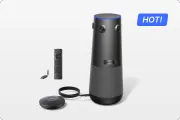
First impressions matter. When you are on a call with a high-stakes client, the last thing you want is echo, background noise, or a "fisheye" camera view that distorts your team. This is where the Nearity 360 Alien shines. By providing a True 4K 360° panoramic view, it ensures that your business looks as professional as it operates. A dedicated conference audio setup integrated with high-end visuals signals to your clients that you value their time and that your business is technologically proficient.

2. How a Professional Conference Room Sound System Enhances Productivity
Productivity is often measured in output, but in the digital age, we should also measure it in "friction." Every time a meeting is interrupted by technical difficulties—a mic that won't connect, or speakers that crackle—friction increases and momentum dies. A high-end conference room sound system removes that friction. When people can speak naturally without shouting or repeating themselves, meetings run faster and decisions are made more quickly.
Using professional video conference equipment is the first step in creating a frictionless environment. These systems are designed to handle the complex acoustics of a shared office, filtering out the hum of air conditioners or the clatter of keyboards.
Eliminating Meeting Fatigue
Research published by Harvard Business Review suggests that "cognitive load" increases significantly when audio quality is poor. Our brains have to work harder to "fill in the gaps" of missing syllables or distorted tones. By investing in a better conference room sound system, you are literally making it easier for your employees to think and collaborate.
The Nearity 360 Alien addresses this by using an 6-microphone array combined with advanced AI algorithms. It doesn't just pick up sound; it intelligently tracks the speaker, ensuring that the person talking is always the focus of the meeting. This reduces the mental strain on remote participants, leading to more engaged sessions.
Scalable Audio for Every Space
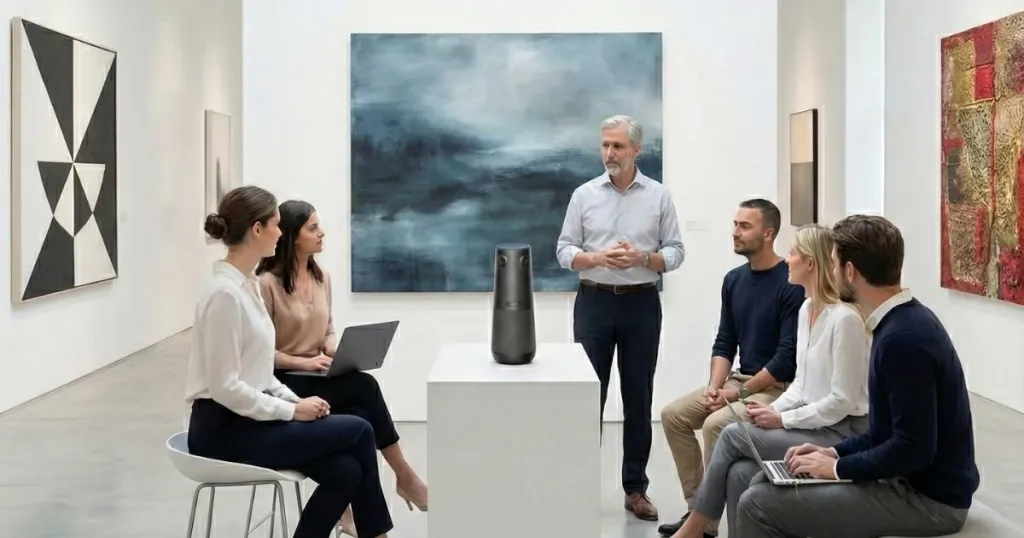
Not all rooms are created equal, but your audio solution should be able to adapt to all of them. 360 Alien is engineered to grow with your business. Its standalone pickup radius of 5 meters (approx. 16ft) makes it the perfect centerpiece for collaborative huddle and medium-sized tables.
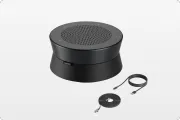
However, for larger environments where standard systems fail, the 360 Alien truly shines. By integrating 2 high-performance expansion microphones, the total pickup range extends to an industry-leading 16 meters (approx. 52ft).
Why It Works for Any Room:
- Huddle & Medium Rooms: Use the primary unit for crystal-clear, 360-degree pickup in intimate settings.
- Large Boardrooms: Add the expansion mics to ensure participants at the far end of long tables are heard as clearly as those at the front.
- Plug-and-Play Scalability: Transition from a small team meeting to a massive corporate presentation without needing a completely different hardware ecosystem.
Whether you are in a cozy breakout room or a sprawling executive suite, 360 Alien ensures that every voice is captured with precision.

3. Essential Components of an Effective Meeting Room Microphone Setup
At the heart of any great audio experience is the meeting room microphone. This is the primary input for your entire communication chain. If the input is bad, no amount of software processing can fully fix it. When selecting a meeting room microphone, you need to consider pickup patterns, noise cancellation, and ease of use.
The Superiority of Beamforming Technology
Modern conference audio setup applications rely heavily on beamforming. Nearity 360 Alien utilizes an 6-unit omnidirectional beamforming microphone array. Unlike traditional mics that pick up sound from everywhere (including the noisy hallway), beamforming mics "steer" their sensitivity toward the speaker. This ensures that the voice remains prominent while ambient noise is suppressed.
The Role of Digital Signal Processing (DSP)
Advanced meeting room microphone solutions come with built-in DSP. This technology identifies human speech and separates it from ambient noise. It also manages "Acoustic Echo Cancellation" (AEC), which prevents the speakers' own voices from looping back into the mic. The 360 Alien takes this a step further with its "Automatic Gain Control" (AGC), which balances the volume of different speakers so that a soft-spoken person is just as clear as someone with a booming voice.
| Feature | Entry-Level Mic | Nearity 360 Alien (Professional) |
|---|---|---|
| Pickup Range | 3-5 feet | Up to 16m(with 2 externals) |
| Video Quality | 1080p Fixed | True 4K 360° Panoramic |
| Microphone Array | 1-2 Basic Mics | 6-unit Beamforming Array |
| AI Features | None | Speaker Tracking & AI Noise Reduction |
| Connectivity | USB Only | Plug-and-Play USB-C |
4. Comparing Different Types of Conference Room Audio Solutions
Navigating the world of conference room audio can be overwhelming. Most solutions fall into three main categories: Integrated Soundbars, Modular Component Systems, and All-in-One Hybrid Hubs. When you are trying to understand what is hybrid and how it affects your office, you'll realize that "good enough" audio isn't enough anymore.
All-in-One Panoramic Solutions: The New Standard
The Nearity 360 Alien represents the pinnacle of the All-in-One category. Instead of having a separate camera, separate mics, and separate speakers, it integrates everything into a single, award-winning design.
- 360° Coverage: No more adjusting the camera. It sees everyone at the table simultaneously.
- AI Speaker Tracking: It automatically zooms in on the active speaker, mimicking the feel of a multi-camera TV production.
- True 4K Resolution: Ensures that facial expressions and non-verbal cues—crucial for building empathy—are transmitted clearly.
Integrated Audio Bars vs. Modular Systems
Audio bars are sleek and sit under the TV, but they often struggle with participants sitting at the far end of a long table. Modular systems offer more coverage but are a nightmare of cables and setup time. Nearity 360 Alien solves both problems by sitting in the center of the table, providing equal distance to all participants and requiring only a single USB connection to your laptop.

5. Overcoming Challenges with Conference Room Microphone and Speaker System Integration
Integration is where many IT managers struggle. A conference room microphone and speaker system must work in harmony with the room's physical properties. The most common issues are echo, "dead zones," and complicated interfaces.
Solving the Echo and Noise Problem
Acoustic echo happens when the sound from the speakers is picked up by the microphone and sent back to the remote caller. To solve this, your conference room microphone and speaker system must have high-quality AEC. The Nearity 360 Alien features patented AI noise suppression that can filter out over 300 types of common office noises—from the sound of a vacuum cleaner outside the door to the clicking of a pen.
Eliminating Dead Zones with 360° Pickup
In many rooms, there are "dead zones" where the mic simply doesn't reach. Because the 360 Alien sits in the center of the action and uses a circular array, it eliminates these zones entirely. Whether you are standing at a whiteboard or leaning back in your chair, the conference audio setup remains consistent.
User Interface and Adoption
The best conference equipment is the one that people actually use. The 360 Alien is designed for "Bring Your Own Meeting" (BYOM). There are no complex drivers to install. You simply plug it in, and it works with Zoom, Microsoft Teams, Google Meet, and Slack instantly.
6. Best Practices for Implementing Conference Equipment in Your Business
Successfully implementing conference room audio requires more than just buying a device. It requires a strategy that considers the human element of meetings.
Step 1: Optimize Room Placement
Place your 360 Alien in the center of the conference table. This ensures that the 360° camera can capture everyone equally and the microphones have an unobstructed path to every speaker. Avoid placing it near loud vibration sources like projectors or PC towers.
Step 2: Leverage AI Features for "Meeting Equity"
"Meeting Equity" is the concept that every participant should have an equal presence in the meeting. Use the AI tracking features of your conference equipment to ensure that remote participants don't feel like they are just "flies on the wall." When the 360 Alien zooms in on a speaker, it gives them the same visual importance as the people in the room.
Step 3: Regular Maintenance and Updates
Hardware is only as good as its software. Nearity frequently releases firmware updates that enhance the AI's ability to recognize voices and suppress new types of noise. Make sure your IT team has a schedule for checking these updates to keep your conference audio setup at peak performance.
7. The Future of Corporate Communication and Conference Equipment
Looking ahead, the role of conference room audio will only grow as AI becomes more integrated. We are entering an era where your conference hub won't just transmit sound; it will understand it.
AI-Driven Intelligence
Future conference equipment will offer real-time translation, automated meeting minutes, and sentiment analysis. The Nearity 360 Alien is already built on an AI-first architecture, meaning it is ready to support these evolving software capabilities. The integration of 4K video and high-fidelity audio is the foundation for the "Office of 2030."
Sustainability through Technology
As companies look to reduce their carbon footprint, high-quality virtual meetings will replace unnecessary business travel. A world-class conference room sound system isn't just a convenience; it's a sustainability tool. By enabling clear, face-to-face communication over thousands of miles, you reduce the need for flights, contributing to a greener future while saving on travel costs.
Frequently Asked Questions (FAQ)
1. Why is a 360-degree camera better for conference equipment?
A 360-degree camera like Nearity 360 Alien captures everyone at the table without anyone needing to "huddle" in front of a traditional webcam. It creates a much more natural, immersive experience for remote participants, making them feel like they are actually sitting at the table.
2. Can the Nearity 360 Alien handle large boardrooms?
The 360 Alien is optimized for huddle rooms and medium-sized conference rooms (up to 8-10 people). For larger boardrooms, you can daisy-chain Nearity's modular microphones to ensure the conference room audio covers the entire length of the table while still using the 360 Alien as the primary camera hub.
3. How does AI noise reduction differ from standard noise cancellation?
Standard noise cancellation often cuts out human speech frequencies along with the noise. AI noise reduction, found in the Nearity 360 Alien, is trained on millions of hours of speech data. It can precisely identify the human voice and "carve" it out from the noise, resulting in much clearer and more natural-sounding audio.
4. Is the conference audio setup difficult for non-technical staff?
Not at all. The modern trend in conference equipment is "Plug-and-Play." The 360 Alien connects via a single USB-C cable. If you can plug in a mouse, you can set up a world-class conference room.
5. Does 4K resolution really matter in conference room audio hubs?
Yes. While audio is the "lifeline," 4K video allows remote participants to see fine details like facial expressions and notes on a page. This improves non-verbal communication, which accounts for a significant portion of how we understand one another.

Conclusion
Mastering conference room audio is the secret to thriving in a hybrid work world. From selecting the right meeting room microphone to integrating a comprehensive conference room sound system, every choice you make impacts how your team communicates. By prioritizing high-quality audio and immersive video with tools, you are removing the barriers that separate remote and in-office workers.
Nearity 360 Alien isn't just another piece of conference equipment; it is a bridge to better collaboration. With its 4K panoramic view, AI-powered audio, and effortless setup, it solves the most common frustrations of the hybrid office. Don't let poor sound or limited views hold your business back. Invest in the right tools, follow the best practices for setup, and ensure that your conference audio setup is ready for the future of work.
Ready to take your office communication to the next level? Clear, crisp, and reliable audio is just one step away.





 sales@nearhub.us
