







































The modern era of software development is defined by complexity, rapid iteration, and the necessity of uninterrupted concentration. As technological advances automate boilerplate and syntax—the repetitive tasks—the developer’s role shifts entirely to high-level architectural thinking, problem-solving, and guiding sophisticated machine intelligence. This elevated cognitive function demands an equally optimized environment, ushering in the concept of Vibe Coding. This report provides a comprehensive guide to building the optimal setup—from silicon to soundscape—required to achieve and sustain this state of peak professional performance.
Key Takeaways
- Vibe Coding emphasizes high-level AI-guided development over line-by-line coding.
- A reliable, high-performance laptop is critical for uninterrupted AI-assisted workflows.
- Noise-cancelling headphones like the EP320 create a “personal silence bubble” to maintain focus.
- The EP320’s ENC microphone ensures clear communication for pair programming and team meetings.
- Multipoint Bluetooth connectivity allows seamless switching between PC, laptop, and smartphone.
- Ergonomic desks, chairs, and proper lighting enhance long-term coding comfort and productivity.
- Integrated tools and environment design collectively preserve flow and optimize developer efficiency.
Essential Tools for Vibe Coding: Achieve Focus and Flow
Vibe Coding Meaning: What It Really Refers To
Vibe coding, introduced by AI researcher Andrej Karpathy in early 2025, is a software development paradigm centered on conversational collaboration with AI. Instead of coding line-by-line, developers guide an AI assistant through iterative prompts to generate, refine, and debug code. Humans focus on intent, architecture, and product goals, while AI handles low-level syntax. This process combines a fast loop for specific code with a broader loop for full application design, functioning like “AI pair programming” in professional settings.
Beyond workflow, vibe coding creates an immersive, flow-like state where tools, environment, and mindset align, enhancing focus, creativity, and productivity. AI supports this by automating repetitive tasks while leaving complex problem-solving to the developer, maintaining the optimal challenge level for deep, sustained work.
Why Tools Matter for Achieving a Flow State
Every tool in your workflow affects your mental energy. A sluggish laptop, low-quality audio, or noisy environment can subtly increase cognitive load, fragment attention, and reduce the quality of your work. Conversely, vibe coding tools—from computers with reliable performance to ergonomic accessories—help you maintain momentum and stay immersed in deep work. Investing in the right hardware and software allows you to focus on problem-solving rather than managing interruptions.
The Core Device — Choosing the Right Laptop for Vibe Coding
The central device—the laptop—must possess significant computational headroom to maintain flow, especially when handling modern workloads involving AI assistants, virtual environments, and simultaneous debugging processes.
Performance and Stability for Multi-Tasking
A laptop designed for vibe coding must be capable of handling AI-assisted development, code compilation, browser-based research, and multiple workspaces simultaneously. This requires strong CPU performance, sufficient memory, and fast storage to prevent bottlenecks that break focus or delay iteration cycles.
When evaluating a laptop for vibe coding, consider the following technical essentials:
Processor (CPU): Choose modern high-efficiency chips capable of sustained multi-thread workloads. Intel i7/i9 (13th gen+), AMD Ryzen 7/9 (7000 series+), or Apple M3/M4 chips are ideal due to their strong single-core speed and excellent multi-tasking performance—both crucial for AI-assisted workflows.
Memory (RAM): 16 GB is the minimum for running AI tools, IDEs, and browser sessions smoothly. For intensive multi-tab research or heavy local development, 32 GB provides a more reliable buffer that avoids system slowdown.
Storage (SSD): Opt for NVMe SSDs. They dramatically reduce load times and allow projects, containers, and local models to run fluidly. A baseline of 512 GB works, though 1 TB is recommended for long-term coding workloads.
Thermal Stability: Sustained performance matters more than peak performance. Devices with good cooling systems maintain speed during long sessions—critical for keeping the flow state uninterrupted.
Why a Reliable Device Supports Consistent Flow
A responsive, stable laptop keeps you mentally connected to the development process. Slow compile times, UI lag, or system freezes cause cognitive breaks that pull you out of flow. With the right hardware, your device becomes invisible—an extension of your thinking—allowing you to maintain deep focus and fully leverage the benefits of vibe coding.
Noise Cancelling Headphones: An Important Companion for Vibe Coding
While a high-performance laptop is the engine of Vibe Coding, a quality noise-cancelling headset acts as the shield that protects your cognitive focus. Recently, Nearhub introduced the EP320 Professional Wireless Noise Cancelling Headset, designed specifically for developers who need uninterrupted concentration. It integrates reliable wireless performance, hybrid active noise cancellation, and all-day comfort, making it one of the best wireless headphones for PC and an essential part of a modern Vibe Coding setup.
Why Noise Cancelling Matters for Vibe Coding: The Isolation Imperative
Among all forms of distraction, sound is the most intrusive. Human brains are evolutionarily wired to react to sudden noises, conversations, and irregular sound patterns. This makes auditory interference the fastest way to pull a coder out of their flow state—especially in shared offices, co-working spaces, cafés, or at-home environments.
Noise-cancelling headphones build what is essentially a “personal silence bubble.” By reducing ambient noise, they allow developers to remain immersed in complex logic-building, debugging, or system design tasks without being forced into unnecessary context switching. In Vibe Coding, this level of isolation is not a luxury—it is a requirement.
When choosing a headset for deep work, the priority metrics differ significantly from traditional music-focused headphones. For Vibe Coding, the ranking looks like this:
- Comfort for long sessions
- Noise isolation strength
- Robustness and durability
- Sound quality
- Cost and value
Since Vibe Coding sessions can last hours and often involve a “loss of time perception,” discomfort itself becomes a distraction. Therefore, comfort and isolation rank far above bass response or audio coloration.
Hybrid ANC and Comfort for Extended Vibe Coding Sessions
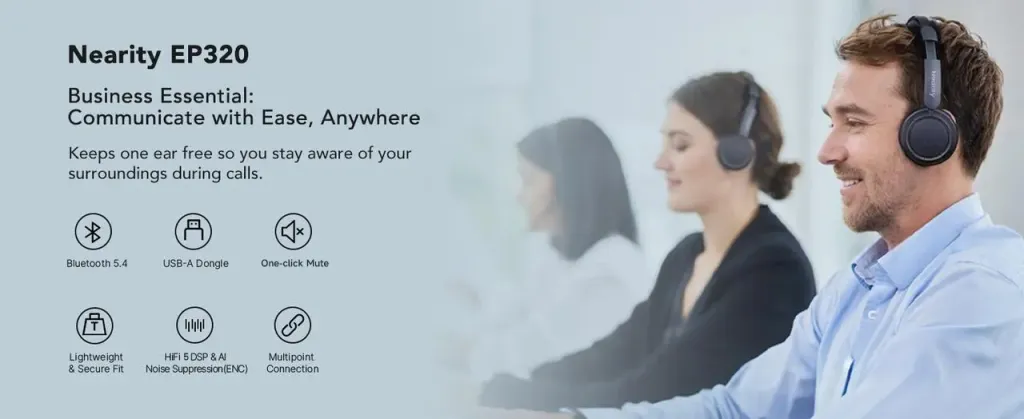
For Vibe Coding, sustained focus is critical, and both acoustic isolation and physical comfort play a key role. The EP320 combines hybrid ANC technology with ergonomically designed ear cushions, providing a personal “silence bubble” that blocks up to 99.9% of environmental noise while remaining comfortable for hours of continuous use. Its lightweight frame and padded, flexible headband ensure long coding sessions do not cause fatigue, allowing developers to stay immersed in AI-assisted workflows, iterative debugging, and deep creative problem solving without interruption. This combination of active noise cancelling and all-day comfort makes the EP320 an ideal choice for developers seeking a reliable headset for PC-based Vibe Coding.
ENC Microphone for Clear Communication
High-quality wireless headsets like the EP320 are not only essential for deep individual focus but also serve as one of the best tools for coding collaboration. Its AI-powered ENC microphone with a 4-mic array filters out non-stationary background noise—such as typing, household activity, or office chatter—while stable PC connectivity ensures your voice comes through clearly even in noisy environments. This clarity minimizes misunderstandings during pair programming, team stand-ups, or technical discussions, maintaining workflow continuity and helping teams collaborate efficiently without breaking the developer’s focus.
Multi-Device Connection for Seamless Workflow
For modern developers, working across multiple devices—Windows PCs, laptops, and smartphones—is the norm. The EP320’s Bluetooth 5.4 and advanced multipoint connectivity allow it to stay connected to two or more devices simultaneously. This enables instant switching between desktop coding sessions and mobile calls without manual pairing or interruptions.
For example, you might be deep in coding on your PC while listening to focus music when an urgent call comes in on your phone; the headset automatically switches to the call without breaking concentration. This frictionless transition preserves momentum, reduces context fragmentation, and enhances overall productivity, making the EP320 one of the best wireless headphones for PC in Vibe Coding environments.
Additional Tools That Enhance the Vibe Coding Experience
While a high-performance laptop and a quality noise-cancelling headset like the EP320 form the core of a Vibe Coding setup, several complementary tools can significantly improve workflow efficiency and comfort.
Lighting and Ambient Setup
Proper lighting and ambient conditions are more than aesthetics—they directly affect focus and cognitive performance. Soft, adjustable LED lighting reduces eye strain during long coding sessions, while ambient light can be tuned to match the circadian rhythm, supporting sustained attention. A tidy, visually calm workspace also minimizes cognitive distractions, helping developers remain immersed in their Vibe Coding flow.
AI Coding Assistants and Productivity Apps
Vibe Coding relies heavily on AI-assisted ideation and coding. Tools like AI code assistants, prompt managers, and integrated development environments (IDEs) with AI plugins allow developers to quickly iterate, test, and refine code while maintaining high-level conceptual focus. Productivity apps—task trackers, note-taking tools, and digital whiteboards—help organize thoughts and prioritize work without breaking the mental flow. These software tools complement physical Vibe Coding tools by keeping the workflow structured yet flexible.
Desk and Ergonomic Accessories
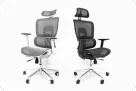
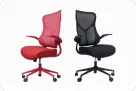
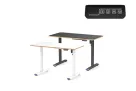
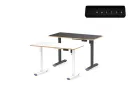
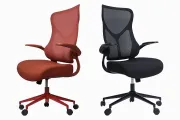
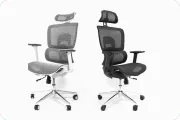
Comfortable desk setups reduce physical strain, which is crucial for extended coding sessions. Ergonomic chairs, adjustable desks, wrist supports, and monitor stands promote proper posture, preventing fatigue and helping maintain focus. By minimizing physical discomfort, these accessories indirectly enhance cognitive flow, allowing developers to stay engaged longer and work more efficiently.
Building the Ideal Vibe Coding Environment
Creating a workspace that supports Vibe Coding goes beyond individual tools. Minimizing noise, managing interruptions, and optimizing light and ergonomics are essential. Combining a quiet headset like the EP320 with thoughtful desk arrangement, AI-powered coding tools, and proper ambient conditions ensures that both mental and physical environments are aligned for peak productivity.
Minimizing Distractions in Shared or Noisy Spaces
Even with the best tools, shared offices or bustling homes can break focus. Headphones with ANC, visual “do not disturb” signals, and well-planned schedules for deep work blocks help protect Vibe Coding sessions. By creating consistent conditions for focus, developers can maintain flow even in suboptimal environments.
How Tools and Environment Work Together to Maintain Flow
Vibe Coding is not just about having the right software or hardware—it’s the combination that matters. Laptops with high processing power, noise-cancelling headsets, AI assistants, ergonomic furniture, and a carefully managed environment all synergize to reduce cognitive load, prevent interruptions, and preserve the iterative rhythm between human and AI. The more integrated the setup, the smoother the coding flow and the more productive the sessions.
Conclusion:How the Right Tools Create a Consistent Vibe Coding Experience
A successful Vibe Coding setup requires more than isolated tools—it demands an ecosystem of devices, software, and workspace design that collectively support focus, creativity, and deep work. By pairing a reliable laptop, a high-quality wireless noise-cancelling headset like the EP320, AI coding assistants, and an ergonomically optimized environment, developers can achieve sustained flow, faster iteration, and higher-quality outcomes. Investing in these tools is an investment in productivity, efficiency, and the ability to consistently harness the full potential of Vibe Coding.
- Does the EP320 have a microphone for calls?
Yes. The headset features an AI-powered ENC microphone that filters out background noise such as typing, barking, or household activity, ensuring your voice is clear during pair programming, stand-ups, or online meetings.
- Can I use the EP320 in shared offices or noisy environments?
Yes. The EP320’s hybrid ANC creates a “personal silence bubble,” effectively reducing both low-frequency hums and mid-to-high frequency sounds, making it ideal for shared offices, co-working spaces, or cafés.
- Can I connect the EP320 to multiple devices at once?
Yes. With Bluetooth 5.4 and multipoint connectivity, you can stay connected to a Windows PC via the USB-C dongle and a smartphone simultaneously. The headset switches seamlessly between devices, preserving focus and workflow.
- Can I still hear my surroundings while using the EP320?
The hybrid ANC blocks most ambient noise for deep focus. If you need awareness, transparency mode lets you hear conversations or environmental sounds without removing the headset, balancing isolation and situational awareness.



 sales@nearhub.us
