


































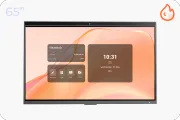
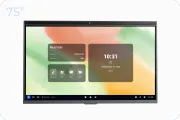
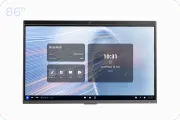



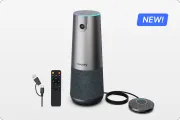







This article serves as a comprehensive resource for educators and administrators navigating the landscape of collaboration technology in 2025. It examines the evolution from analog tools to smart interactive displays, providing a comparative analysis of hardware and a strategic roadmap for implementation. The guide details specific pedagogical techniques to maximize student engagement and addresses common hurdles like network infrastructure and cost. Finally, it forecasts emerging trends including AI and AR, positioning smart boards as the central hub of the future learning environment.
Key Takeaways
- Shift to Active Learning: Smart boards transform passive listening into kinesthetic, gamified active learning experiences that improve retention.
- Smart Board vs. Projector: Modern Flat Panel Displays (IFPDs) offer lower maintenance, better visibility (4K), and higher ROI than traditional interactive projectors.
- Essential Features: Key capabilities like infinite canvas, object recognition, and multi-device casting (BYOD) are essential for maximizing classroom utility.
- Implementation Strategy: Successful adoption requires specific pedagogical models like "I Do, We Do, You Do" and the station rotation method.
- Future Trends: The next generation of ed-tech includes AI-driven predictive analytics and Augmented Reality (AR) integration directly on the board.
Have you ever stood at the front of a classroom, marker in hand, looking out at a sea of glazed-over eyes?
It is the modern educator's nightmare: competing for attention against smartphones, tablets, and the sheer speed of digital information, all while armed with nothing but a dry-erase marker and a static whiteboard. The disconnect between how students live (digitally connected, interactive) and how they learn (often passive, analog) is growing wider every day.
Welcome to the Ultimate Guide to bridging that gap. This is not just a list of gadgets; this is a comprehensive deep dive into the ecosystem of collaboration technology smart board integration for 2025. Whether you are a K-12 administrator, a university professor, or a corporate trainer, this pillar page covers everything you need to know to transform passive listeners into active participants.
In this extensive guide, we will explore the psychology of interactive learning, compare the top collaboration technologies available, and provide a step-by-step roadmap on how to use a smart board to its full potential. We will look at data-backed strategies to boost engagement and prepare students for a future defined by digital teamwork.
It is time to put down the dry-erase marker and pick up the future.
The Evolution of Classroom Collaboration Technologies
To understand where we are going in 2025, we must look at how rapidly collaboration technology has evolved. Just a decade ago, "ed-tech" meant a computer lab down the hall or a heavy overhead projector cart wheeled in for special occasions.
From Static to Dynamic
The shift has been seismic. We have moved from the "Sage on the Stage" model—where the teacher broadcasts information—to the "Guide on the Side" model, where learning is co-created.
- Phase 1 (The Analog Era): Chalkboards and whiteboards. Collaboration was limited to whoever held the chalk.
- Phase 2 (The Projection Era): Interactive whiteboards (IWBs) that required ceiling-mounted projectors. They were expensive, required constant calibration, and shadows often blocked the screen.
- Phase 3 (The Smart Era): The modern collaboration technology smart board. These are self-contained computers with 4K touchscreens, requiring no projector and offering seamless cloud integration.
The Role of Connectivity in 2025
Today, collaboration technologies are not isolated islands. They are hubs. A smart board in 2025 isn't just a screen; it's a portal. It connects the 30 students in the room with guest speakers in other countries, pulls in real-time data from the web, and syncs instantly with student devices (BYOD). According to a 2024 report by HolonIQ, the global education technology market is expected to reach $404 billion by 2025, driven largely by hardware that facilitates this level of hyper-connectivity.
Why Every Classroom Needs a Collaboration Technology Smart Board
The investment in ed-tech is significant, so the "why" must be compelling. Implementing a collaboration technology smart board is not about keeping up with trends; it is about fundamentally changing the cognitive process of learning.
1. Active Learning vs. Passive Consumption
Research consistently shows that active learning leads to higher retention rates. A smart board transforms the board from a surface to look at, into a surface to work with.
- Kinesthetic Learning: Students can physically manipulate data—dragging and dropping elements of the periodic table or rotating 3D geometry models with their hands.
- Gamification: Teachers can launch quizzes where students answer via their tablets, with results exploding onto the smart board in real-time.
2. Accessibility and Inclusivity
Modern collaboration technology smart board systems are great equalizers.
- Visual Impairments: High-contrast modes and screen magnification are built-in.
- Language Barriers: Real-time translation tools can caption a teacher's speech on the board in the student's native language.
- Remote Access: For students out sick or learning from home, the smart board screen can be broadcast directly to their laptops, ensuring they never miss a lesson.
3. Preparation for the Modern Workforce
The corporate world runs on collaboration technology. By using these tools in the classroom, we are simulating the environments students will eventually work in. They learn to brainstorm digitally, manage shared files, and present ideas interactively—skills that are now prerequisites in the job market.
Essential Collaborative Technology Tools for Students in the Classroom
A smart board is the hardware, but software is the soul of the setup. To maximize the hardware, you need to integrate the right collaborative technology tools for students in the classroom. These tools act as the bridge between the student's device and the front-of-room display.
Cloud-Based Whiteboarding Apps
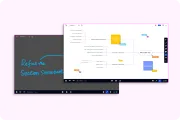
These allow the "infinite canvas" experience.
- Features: Sticky notes, freehand drawing, and image embedding.
- Student Role: Students can add their own sticky notes to the main board from their desks using their iPads or Chromebooks. This gives a voice to shy students who might not raise their hand but are happy to type a contribution.
Real-Time Assessment Platforms
Tools like Kahoot! or Quizizz integrate perfectly with smart boards.
- The Dynamic: The smart board displays the question and the leaderboard, creating a game-show atmosphere.
- Data Collection: Teachers get instant analytics on who understands the concept and who needs help, allowing for immediate course correction during the lesson.
Digital Content Libraries
Gone are the days of VHS tapes. Modern smart boards connect to repositories like YouTube Education, Khan Academy, and specialized science simulation apps (like PhET).
- Integration: A teacher discussing a chemical reaction can pull up a simulation on the board, run the experiment virtually, and then annotate over the results in digital ink.
Step-by-Step: Using Collaboration Technology Smart Boards for Maximum Engagement
Buying the hardware is the easy part. The challenge lies in implementation. Many schools face the "black screen problem"—where expensive tech sits unused because teachers aren't comfortable with it. Here is a practical guide on how to use a smart board effectively.
Step 1: Calibration and Setup
Before the students arrive, ensure the ecosystem is ready.
- Placement: Ensure the board is at a height accessible to the smallest students in the class.
- Lighting: Reduce glare from windows. Unlike projectors, modern LED smart boards are bright, but direct sunlight can still interfere with touch sensors.
- Login: Sign in to your cloud account (Google Workspace or Microsoft 365) directly on the board so your files are ready.
Step 2: The "Hook" Activity
Start every class with an interactive hook.
- Do Now: Display a thought-provoking image or a question. Have students come up and write their one-word reaction on the board as they enter the room. This breaks the physical barrier immediately.
Step 3: The "I Do, We Do, You Do" Model
- I Do: The teacher demonstrates a concept on the smart board, using the screen recording feature to capture the lesson for later review.
- We Do: Call active volunteers to the board. Use the "Dual Pen" feature (common in boards like NearHub) to allow two students to solve a math problem simultaneously side-by-side.
- You Do: Push the board content to student devices. Let them work on the problem individually, then "cast" their screen back to the main smart board to show their work to the class.
Step 4: Annotation Over Everything
Never just show a video or a website. Pause it. Draw on it. Circle the key terms.
- Web Browsing: If you are reading a news article, highlight the bias words in red and the facts in green.
- Video Analysis: Pause a history documentary and draw arrows to explain the troop movements shown on the map.
Comparing Collaboration Technologies: Smart Boards vs. Projectors
When upgrading collaboration technology, administrators often weigh the cost of modern Flat Panel Displays (IFPDs) against traditional Interactive Projectors. While projectors were the standard for years, 2025 has seen a massive shift toward IFPDs.
Why the Smart Panel Wins
The collaboration technology smart board (Flat Panel) offers a "walk-up-and-use" experience similar to a giant tablet. Projectors require boot-up time and darkening the room, which can kill the energy of a class. For a modern, agile classroom, the dedicated smart board is the clear winner.
Advanced Features of a Collaboration Technology Smart Board
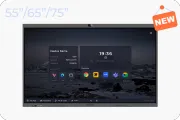
If you are only using your board to write notes, you are using a Ferrari to drive to the grocery store. Let's explore the advanced capabilities of a high-end collaboration technology smart board, such as those offered by NearHub.
Infinite Canvas and Object Recognition
Standard whiteboards have edges; smart boards do not.
- Infinite Scroll: You can keep panning the screen to add more content. At the end of the semester, you can zoom out to show the entire "map" of the course.
- Object Recognition: The board knows the difference between a stylus (for writing), a finger (for moving objects), and a palm (for erasing). This intuitive interaction speeds up the workflow significantly.
Multi-Device Casting (BYOD Support)
In 2025, students bring their own devices.
- Split Screen: The teacher can cast up to 4 or 9 student screens onto the smart board simultaneously. This allows for comparative analysis—showing four different approaches to the same coding problem side-by-side.
- Touchback Control: The teacher can control the student's laptop from the smart board. If a student is presenting from their seat, the teacher can tap the board to advance their slides or correct a typo on their document.
AI Integration
Artificial Intelligence is embedding itself into collaboration technology.
- Handwriting Recognition: Converting messy student scribbles into legible text instantly.
- Shape Correction: Draw a rough circle, and the AI snaps it into a perfect geometric shape.
- Smart Search: Highlight a word written on the board and drag it to the browser icon to instantly search Google for definitions or images.
Strategies for Group Work Using Collaboration Technology
Collaborative technology tools for students in the classroom are most effective when paired with strong pedagogical strategies for group work. A smart board can be the anchor for station-based learning.
The Station Rotation Model
Divide the class into three groups:
- Direct Instruction Station: Small group working with the teacher at the collaboration technology smart board.
- Independent Station: Students working on individual assignments on laptops.
- Collaborative Station: Students working on a hands-on project or analog discussion.
By rotating every 20 minutes, every student gets intimate, interactive time with the smart board technology. This prevents the "back of the room" syndrome where students hide from participation.
The "Flipped Classroom" Center
In a flipped classroom, students learn the content at home via video and do the "homework" in class.
- Smart Board Role: The board becomes a collaborative workspace for solving the hardest problems. Instead of the teacher lecturing, they present a complex case study on the board, and the class works together to dissect it, using the board to aggregate their findings.
Overcoming Challenges in Collaboration Technology Smart Board Adoption
Implementing a collaboration technology smart board initiative is not without hurdles. Understanding these challenges is key to a successful rollout.
1. The "Tech Fear" Factor
Teachers who have taught for 30 years with chalk may resist digital boards.
- Solution: Professional Development (PD) must be ongoing. Do not just do a one-hour training session. Create "Tech Champions" in each department—early adopters who can peer-mentor their colleagues. Focus on how the tech saves time (e.g., "Save your notes so you don't have to rewrite them for the next period"), rather than just the "cool factor."
2. Network Infrastructure
A smart board is only as smart as its internet connection.
- Bandwidth: 30 students casting screens and a 4K board streaming video requires robust Wi-Fi. Schools must upgrade their access points before installing the boards.
- Security: Ensure the boards are on a secure VLAN to prevent unauthorized casting or hacking from outside the network.
3. Cost and Budgeting
High-quality smart boards for classroom use are a significant capital expense.
- Solution: Look for grants (STEM grants, Title I funding) and calculate the Total Cost of Ownership (TCO). While the upfront cost is high, the elimination of projector bulbs, paper waste, and printed handouts can offset the cost over 5-7 years.
Future Trends in Collaboration Technology Smart Board Integration
As we look beyond 2025, where is collaboration technology heading? The trend is toward immersive and predictive experiences.
Augmented Reality (AR) Integration
Future smart boards will likely act as windows for AR. Holding a tablet up to the smart board might reveal 3D layers of information—like seeing the skeletal system overlay on a biology diagram displayed on the board.
Predictive Analytics
The collaboration technology smart board will start to analyze the class.
- Engagement Tracking: Sensors might track where students are looking or how frequently they interact with the board, providing teachers with a "heatmap" of student attention after the class.
- Adaptive Content: If the class struggles with a math problem on the board (detected by wrong answers or long pauses), the AI might automatically suggest pulling up a refresher video or a simpler practice problem.
The "Wall-to-Wall" Canvas
We are moving toward classrooms where every surface is interactive. The front wall, the student desks, and even the windows could become smart surfaces, creating a truly 360-degree immersive learning environment powered by collaboration technology.
Frequently Asked Questions (FAQ)
Here are the most common questions educators ask when upgrading to smart collaboration tech.
Q: Do I need a computer to use a collaboration technology smart board?
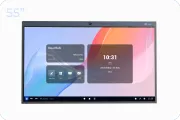
Not necessarily. Modern smart boards, like the NearHub S-Pro, often come with a built-in operating system (usually Android-based). This allows you to browse the web, use whiteboard apps, and open documents directly from a USB drive or cloud storage without plugging in a laptop. However, for specialized software (like Adobe Creative Cloud or heavy CAD programs), connecting a Windows/Mac computer is still recommended for maximum power.
Q: Can multiple students write on the smart board at the same time?
Yes! This is a standard feature of modern collaboration technology. Most high-quality smart boards support "multi-touch," typically allowing 20 or even 40 simultaneous touch points. This means 4 to 6 students can stand at the board and solve math problems or draw simultaneously without interfering with each other's input.
Q: How does a smart board help students with learning disabilities?
Smart boards are powerful assistive technology tools. They offer features like text-to-speech, high-contrast visual modes, and the ability to record lessons for re-watching. For students with motor skill challenges, the large touch surface is often easier to manipulate than a mouse and keyboard. The ability to zoom in on text helps those with visual impairments.
Q: Is it difficult to clean and maintain a smart board in a classroom?
Unlike old whiteboards that suffer from "ghosting" (ink stains), smart boards use glass surfaces that are easy to clean. You generally just need a microfiber cloth and standard screen cleaner (or 70% isopropyl alcohol) to remove fingerprints and germs. Many premium boards also feature anti-glare and anti-bacterial coatings on the glass to maintain hygiene in busy classrooms.
Q: What happens if the internet goes down? Can I still use the board?
Yes. While cloud features and web browsing will be disabled, the core functions of the collaboration technology smart board remain. You can still use the whiteboarding app to write and draw, display files stored locally or on a USB drive, and connect a laptop via HDMI to project offline content. The lesson does not have to stop just because the Wi-Fi did.






 sales@nearhub.us
