


















































Let's paint a familiar picture.
Maria, a top-performing remote sales director, is in the quarterly planning meeting. She is one of three small squares on a giant screen in the boardroom. She has a critical idea, but by the time she unmutes and tries to find a gap in the conversation, the in-room team has already moved on. She isn't a participant; she's a spectator. To her manager in the room, she's a "black box" who is just absorbing data—or worse, they wonder if she's even paying attention.
This story perfectly illustrates the "black box" problem of hybrid work. Borrowed from computer science, the term describes a system we can only understand by its "inputs and outputs," while its "inner workings remain arcane and unknowable." In a bad hybrid meeting, the remote attendee is a "black box" to the in-row team, and the conference room is a "black box" to them. It creates "invisible barriers to participation" that kill innovation and engagement.
This guide is to "open" that black box. We will provide a clear plan that blends psychology, process, and technology to move from "broken" to "brilliant." We will explore actionable video conference tips and conference room solutions that get every voice heard and drive real remote employee engagement.
⚖️ The "Two-Tier" Problem: Why Your Hybrid Meetings Are Failing
The "black box" feeling in remote meetings is merely a symptom. The root cause is a "two-tier" culture, where in-person participants are treated as first-class citizens and remote attendees become second-class.
This feeling isn't just fatigue; it's a documented psychological phenomenon driven by two key factors:
Cognitive Load: Video conferencing in its current form is unnatural. It forces us to work harder to send and receive signals—exaggerating expressions to show we're listening or staring at our own "mirror effect." This dramatically increases mental effort.
Perception Gap: This mental exhaustion creates a massive divide. Employees feel limited visibility hurts their advancement, while managers grow skeptical about productivity. A common response is to enforce "camera-on" policies, which research shows amplifies fatigue and diminishes engagement.
This creates a vicious cycle:
Inferior technology creates a poor experience.
The experience increases cognitive load for remote users.
They become passive to conserve energy.
In-room managers see this passivity, confirming their skepticism and widening the perception gap.
They enforce "camera-on" policies that further increase cognitive load, worsening the problem.
This entire cycle is the antithesis of meeting equity—the principle that everyone has an equal opportunity to contribute. Our current technology and culture are systematically undermining it.

🤝 The Human Factor: Actionable Video Conference Tips for Engagement
You cannot fix a broken process with a new piece of technology. Building trust and engagement starts with human-centric rules. The goal is to stop "bolting on" remote participants and instead design the meeting as if everyone is remote.
Here is an actionable "before, during, and after" checklist to immediately improve your meetings:
Before the Meeting
- Is this meeting necessary? Or can it be an email, a shared doc, or a Slack message?
- Share a Clear Agenda: Send it 24 hours in advance so everyone can prepare.
- Assign Roles (The Key Step): Designate a facilitator, a notetaker, and—most importantly—a "Virtual Participant Advocate". This person's only job is to be the "voice" for the remote team, monitoring the chat and "raised hands".
During the Meeting
- Start with a Human Check-in: Don't "dive straight in". Greet participants as they join and allow for small talk. This builds "knowledge-based trust," the "glue" that holds remote teams together.
- The "Camera-On" Debate: Be smart. While it seems to boost engagement, forcing it increases fatigue. The solution: Ask for cameras-on during the "start" (for human connection) but encourage "audio-only" breaks during the meeting.
- Facilitate Actively: Use polls, Q\&A, and digital whiteboards. Break people into smaller virtual groups.
After the Meeting
- Share action items and notes immediately.
Of all these video conference tips, the role of the "Virtual Participant Advocate" is the most powerful tool for building trust. Remote employees feel "isolated" and "emotionally strained", and that isolation comes from feeling ignored and unheard.
This "advocate" is an in-room "proxy." When that advocate says, "Hang on, I see Maria has her hand up in the chat," it doesn't just get Maria's idea heard. More importantly, it psychologically validates her presence. This validation rebuilds the "trust" that technology broke, directly boosting remote employee engagement. It is the single most effective, zero-cost move your team can make.
✨ Solving the Black Box: How All-in-One Tech Bridges the Gap
Your human "advocate" is critical. But what if the professional technology itself could be the advocate?
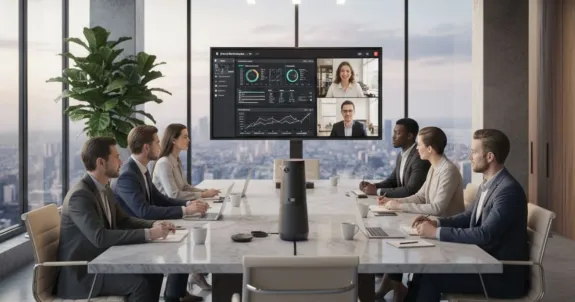
Traditional meeting room tech—usually a laptop with a webcam or a single "front-of-room" camera—is the root cause of the "two-tier" problem. Remote users can't see who is speaking, and audio designed for one person is disastrous for a group. This is where modern conference room solutions change the game. We are moving from "dumb" tech to "smart" tech that can see, hear, and understand the room.
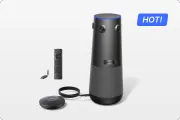
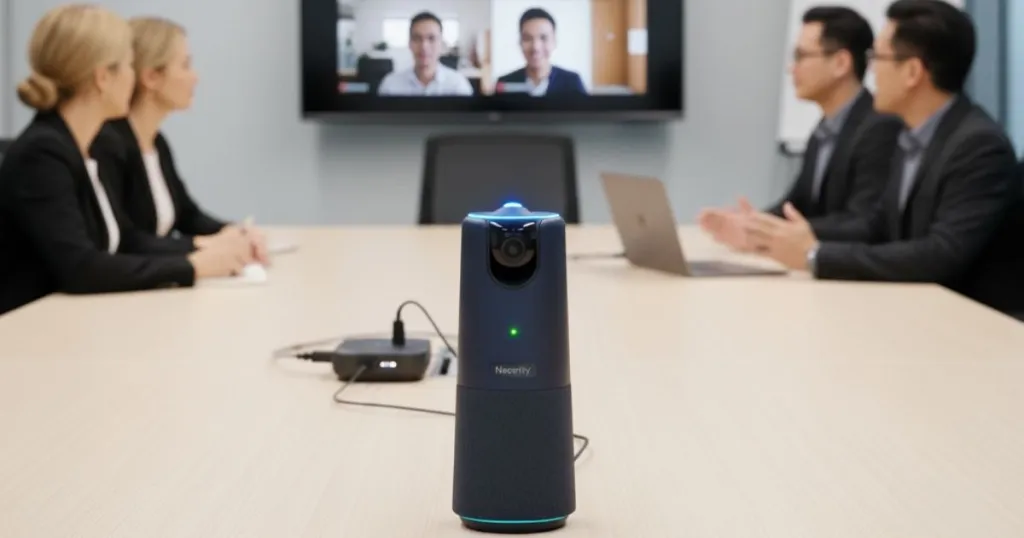
The premier example of this new category for huddle and medium-sized rooms is the Nearity C50. It is designed to be an "invisible" facilitator that makes meeting equity automatic. It's a true all-in-one solution that combines a camera, microphones, and speaker into one unit.
How does it solve the problems we discussed in section one?
- It Reduces Cognitive Load:
C50’s 360° 1080P panoramic lens captures everyone in the room, but its AI is the real star. With three AI-powered capture modes—Discussion, Presentation, and Global—it automatically finds and frames active speakers. Remote participants no longer have to “search” for who’s talking, creating a seamless, TV-like experience that keeps everyone engaged. - It Delivers Audio Equity:
Bad audio drains focus faster than bad video. C50’s 6-mic omnidirectional array captures voices clearly up to 16 feet (5 meters), while its ProperClean 2.0 AI noise suppression removes background noise like typing or air conditioning. A full-duplex speaker enables natural two-way conversation, ensuring every voice is heard equally—loud or soft, near or far. - It is "Plug-and-Play" Simple:
It is a "real all-in-one device" that connects via USB with no drivers needed. It "eliminates" the friction of use, which encourages adoption and is critical for non-IT users.
C50 is a powerful solution that transforms most work environments. But what about your most demanding spaces? Your 20-person boardroom? Your all-hands training center?
In a large room, a 1080p camera digitally zooming on someone 30 feet away will turn to pixels. You need more data for the AI to work with. This is why 4K matters. This is where you need a professional upgrade.
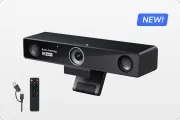
Nearity 360 Alien is the ultimate professional upgrade. It takes the integrated intelligence of the C50 and enhances it with true 4K resolution and advanced scalability. The 4K sensor provides stunning clarity, allowing the AI to use "lossless" digital zoom to frame speakers at the far end of a long table. The video is faster and the audio is richer, creating a more polished experience.
Crucially, 360 Alien is designed for large-room audio. While C50 has a powerful built-in mic system, the 360 Alien is built for scalable audio coverage. It can be expanded with external mics, ensuring every single person around a 20-person table is heard with perfect clarity.
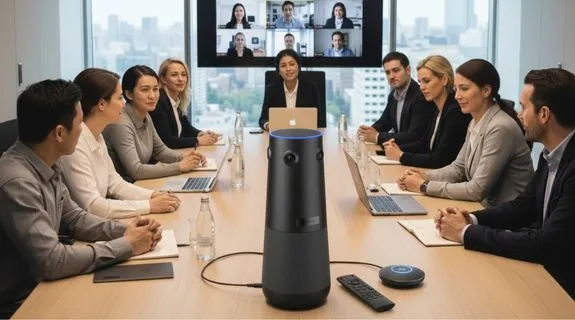
🚀 Upgrading Your Vision: Building Your Room's Ecosystem
A modern conference room is an ecosystem. It's more than just the camera. It includes:
- Huddle Rooms (4-6 people): These spaces need simplicity. All-in-one video bars or this portable camera concept are ideal, emphasizing plug-and-play and wireless sharing.
- Medium Rooms (8-12 people): This is C50's "sweet spot," where its 360-degree view and powerful audio provide maximum value.
- Large Rooms (15+): This is the 360 Alien's domain, where 4K video and expandable audio are required.
📈 The Ripple Effect: How Better Meetings Boost Remote Customer Service
So, why should a CFO care about this? Because the "ripple effect" of internal efficiency directly impacts external revenue.
Your remote employee engagement is directly correlated with your remote customer service. A disengaged, frustrated employee cannot provide good service.
The "holy grail" metric here is: First Call Resolution (FCR).
FCR measures your team's ability to "resolve customer issues… during the first contact". Why does FCR matter?
- It "drives customer satisfaction and retention". A 1% increase in FCR can lead to a 1% increase in customer satisfaction (CSAT).
- It "boosts cost efficiency" by reducing expensive follow-up calls.
- It "improves agent morale" because agents deal with fewer angry customers.
Now, let's connect the dots. Your conference room camera is a customer service tool.
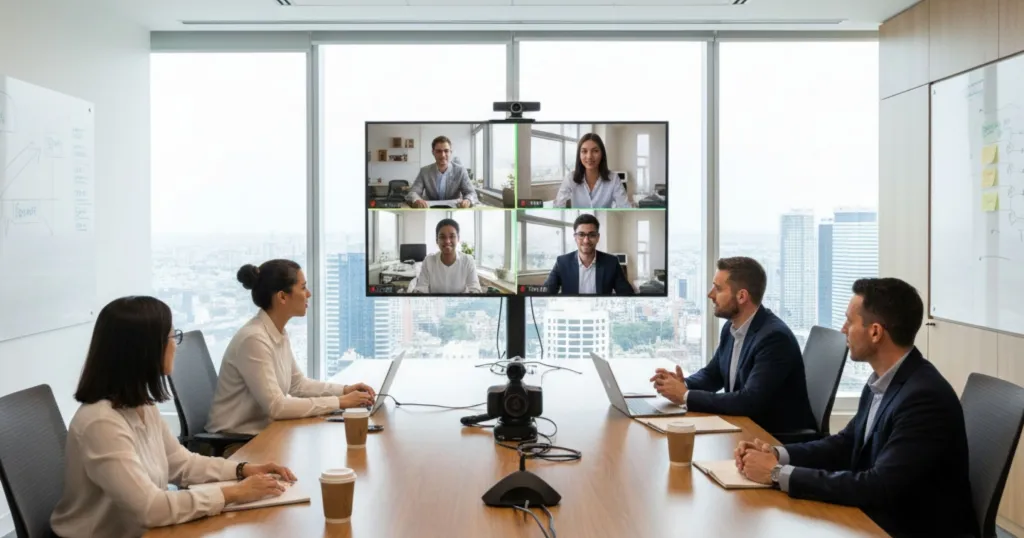
The proof: One company, after upgrading its remote support tech, increased its FCR by 10% and decreased case handling time by 25%. Your internal conference room solutions are a direct investment in customer retention.
🏁 Conclusion: Your Blueprint for a Seamless Future
We began this journey staring into a “black box” — frustrated by invisible barriers and drained by cognitive overload. The truth is, the “two-tier” meeting isn’t just a feeling; it’s a systemic failure of tools and culture.
It’s time to fix it. Here’s the roadmap:
- People: Build meeting equity into your culture. Empower remote voices with intentional roles and better habits.
- Technology: Choose systems that disappear into the background. All-in-one device automates clarity and inclusion with AI-powered framing and noise-free audio.
- Scale: For large rooms, upgrade to true 4K visuals and expandable mic coverage that keeps every participant equally present.
This isn’t an IT purchase—it’s a productivity and retention investment. Clearer meetings lead to sharper ideas, faster decisions, and stronger relationships.
The “black box” won’t fix itself. It’s time to make every meeting seamless, inclusive, and energizing. Explore the professional equipment to build your seamless future.
❓ Frequently Asked Questions (FAQ)
1. Q: What is "meeting equity" and why does it matter?
A: Meeting equity is the simple but powerful idea that everyone in a meeting has an equal opportunity to communicate, contribute, and be heard, regardless of their physical location. It matters because, without it, you create a "two-tier" culture that leads to remote employees feeling excluded, disengaged, and less likely to be considered for promotion, which hurts talent retention and innovation. Achieving it requires a focus on technology, culture, and leadership.
2. Q: What technology is essential for a conference room in 2025?
A: Your setup should be an ecosystem. Beyond a smart, high-quality AI-powered camera and microphone system, you need: 1) A wireless presentation system (like Barco ClickShare or Yealink Roomcast) to eliminate cable-fumbling and support BYOD (Bring Your Own Device); 2) An interactive digital whiteboard (like a Vibe Board or Samsung Flip) for true hybrid brainstorming; and 3) A room scheduling system (like Skedda or Robin) to manage your spaces efficiently.
3. Q: How do I choose between a 360° all-in-one camera and a traditional PTZ (Pan-Tilt-Zoom) camera?
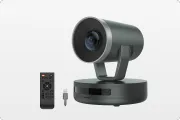
A: It depends on the room and use case. A 360° camera (like the Nearity C50) is ideal for huddle and medium rooms to capture the entire group discussion. A professional PTZ camera is typically better for very large spaces (like an auditorium) where you need to focus on a single speaker on a stage with powerful optical zoom. For most modern boardrooms, a new-generation 4K 360° camera (like the Nearity 360 Alien) offers the best of both worlds—a full room view with lossless digital zoom and expandable audio.
4. Q: What are the biggest security concerns for conference room solutions?
A: Security is critical. Key questions to ask your vendor include: 1) How is data encrypted, both in transit and at rest? 2. How stable is the software, and how frequently are security patches released? 3) Can the system be remotely monitored and managed by my IT team to ensure it's secure and running correctly?
5. Q: My team hates turning their cameras on. How can I improve engagement?
A: First, have empathy; "camera-on" mandates can increase "Zoom Fatigue". Instead of forcing it, build a better culture. Use a facilitator to actively call on remote participants by name. Use better technology (like a C50 or 360 Alien) so the entire room is clear, not just a blurry laptop cam. And allow for "camera-off" breaks. Engagement is about contribution, not just visibility.
6. Q: What is the single biggest mistake companies make with hybrid meetings?
A: The biggest mistake is trying to run a hybrid meeting with "in-person" rules". This treats remote participants as an "afterthought". The best practice is to adopt a "virtual-first" mindset, where the meeting is designed to be equitable for all participants from the ground up. This includes a clear agenda, a virtual facilitator, and technology that bridges the physical divide.





 sales@nearhub.us
